Cancel your Super Star Car Wash membership online, by mail, by phone, or through the Contact Us form. The online portal cancels your account instantly; the other three work as backups when the portal fails.
You must submit your cancellation request at least 7 days before your next billing date to avoid being charged.
Related: 4 Wasy you can Cancel your Quick Quack membership
Before You Cancel: What You Need
Gather the following before you start. Super Star Car Wash requires this information to locate and verify your account, regardless of which method you use.
- Fast Pass ID — found on your windshield sticker, OR
- License plate number — the one registered to your account
- Last 4 digits of the credit card billed for the membership
- Phone Number — the one registered to your account
- Full name on the account (required for mail or Contact Us requests)
How To Cancel Super Star Car Wash Membership Online (Fastest & Most Reliable)
To cancel your Star Car Wash membership online, you need the last four digits of your card, plus either your Fast Pass ID or your license plate number. Then follow the steps listed below.
Visit the Official Cancellation Portal
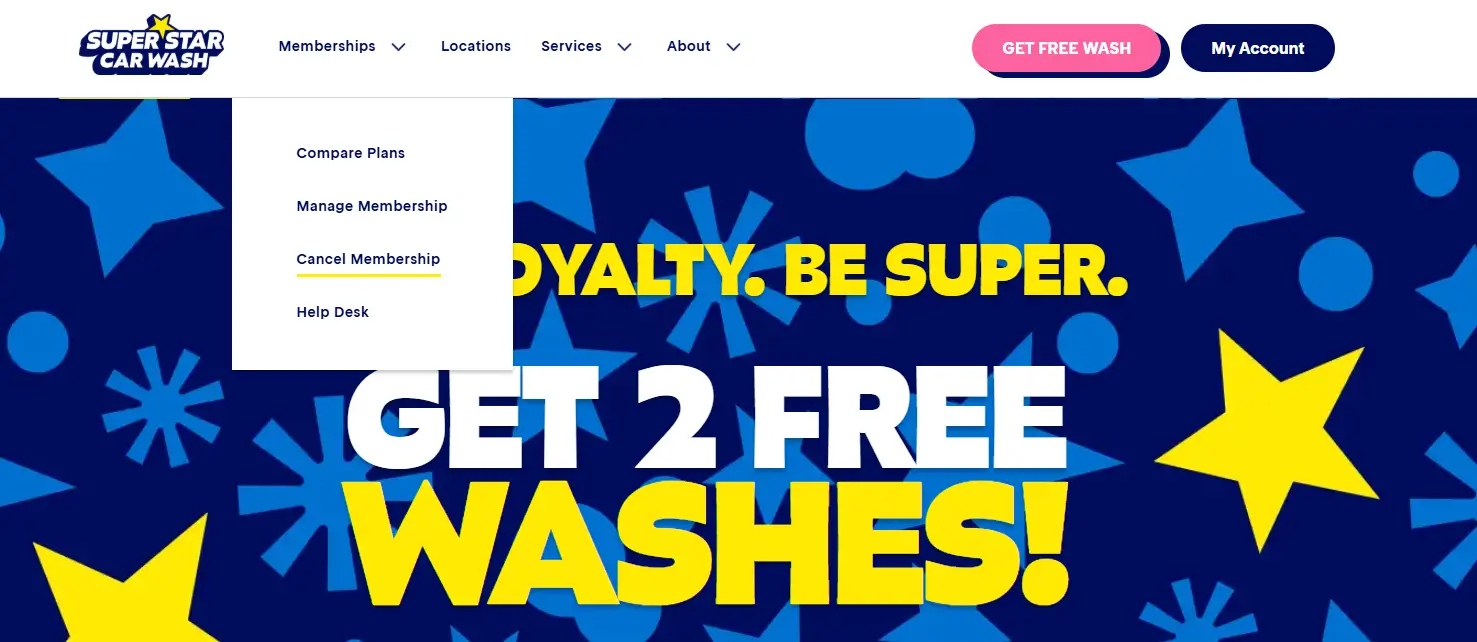
Go to superstarcarwashaz.com, click Memberships in the top menu, and select Cancel Membership.
Sign In to Your Account
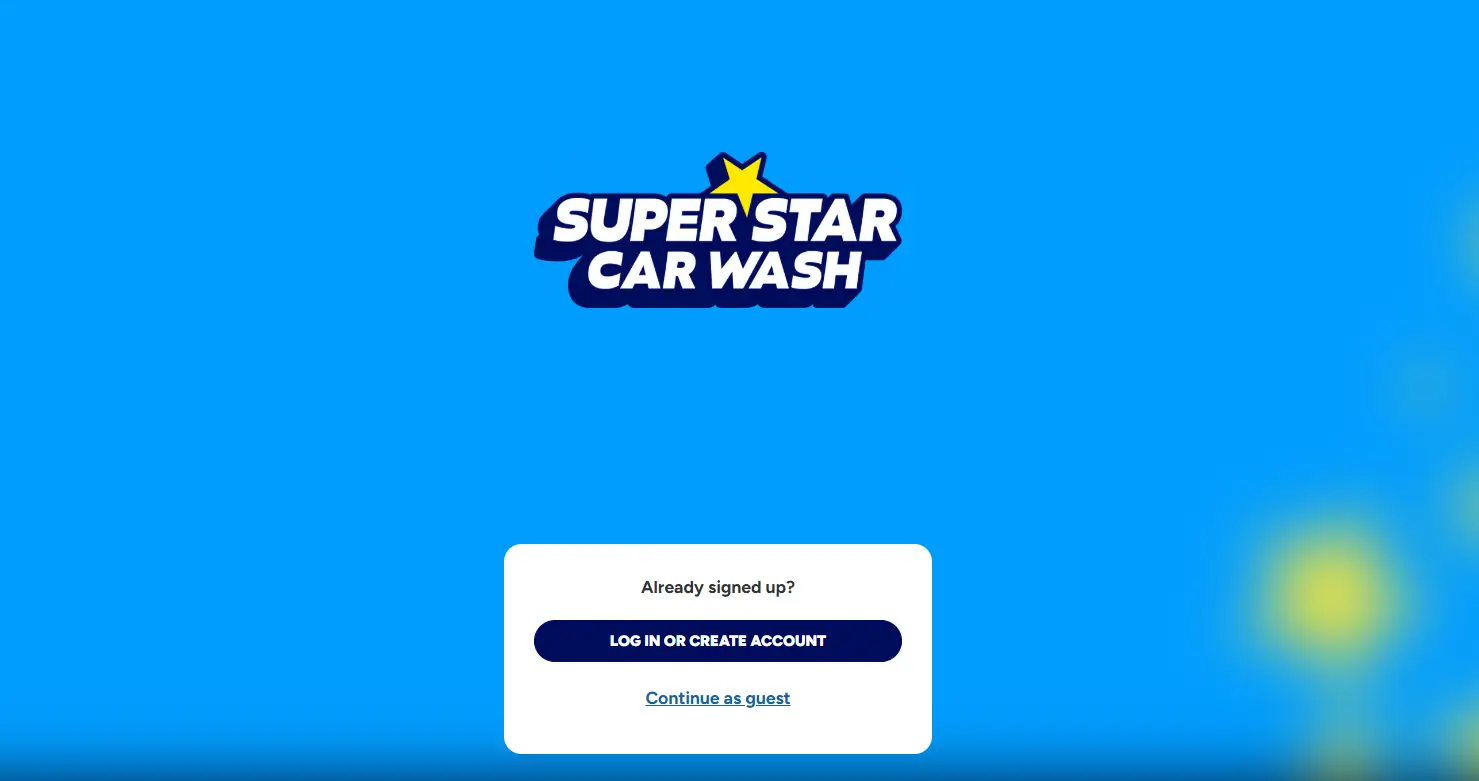
Log in with your registered phone number. or click Create Account.
Please note: Only active members can register, and in-person signups take 24–48 hours to sync.Verify Your Membership
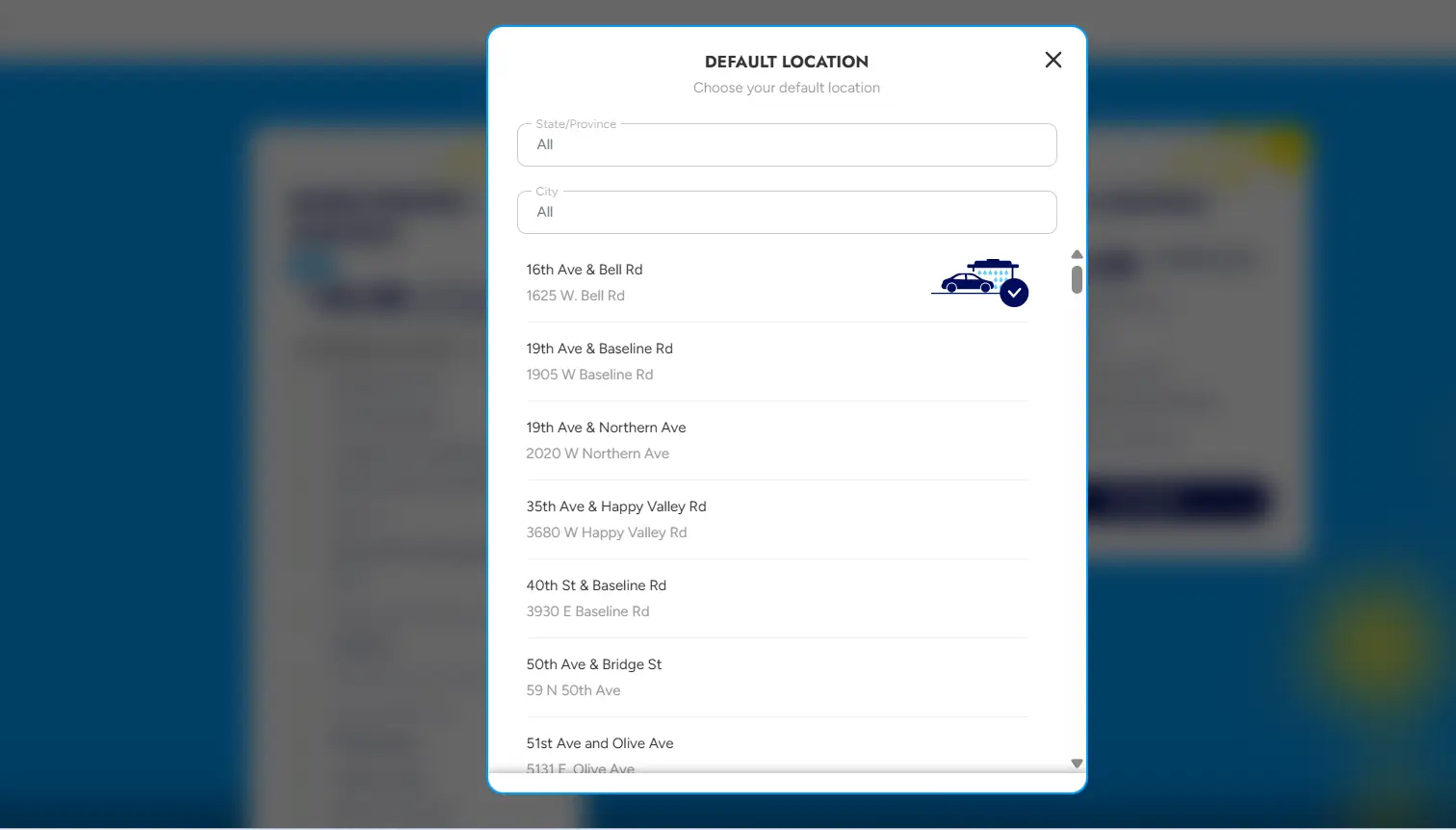
Confirm your identity using the last 4 digits of your card on file, plus either your Fast Pass ID or your license plate number and state.
Cancel Your Plan
Go to Manage > Active Plans and click Cancel Membership. Select a reason if prompted, then click Confirm.
Submit and Confirm
Submit the form and screenshot your confirmation. Super Star Car Wash also emails a confirmation.
Related: How to cancel Mister Car Wash membership
Method 2: How to Cancel Super Star car wash by Mail
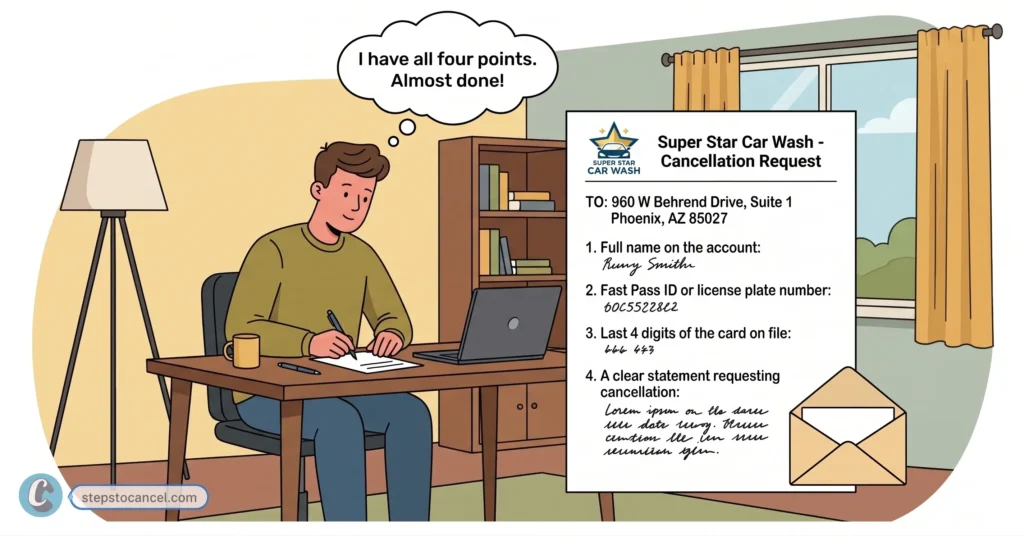
To cancel send a written cancellation request to: 960 W Behrend Drive, Suite 1 Phoenix, AZ 85027
Include in your letter:
- Full name on the account
- Fast Pass ID or license plate number
- Last 4 digits of the card on file
- A clear statement requesting cancellation
Mail processing takes longer than canceling online. If your billing date is close, send your request early to allow for transit time.
Alternative Methods to Contact Super Star Car Wash for Cancellation
If you fail to cancel their car wash membership then try contact them directly
Method 3: How to Cancel Super Star car wash by Phone call
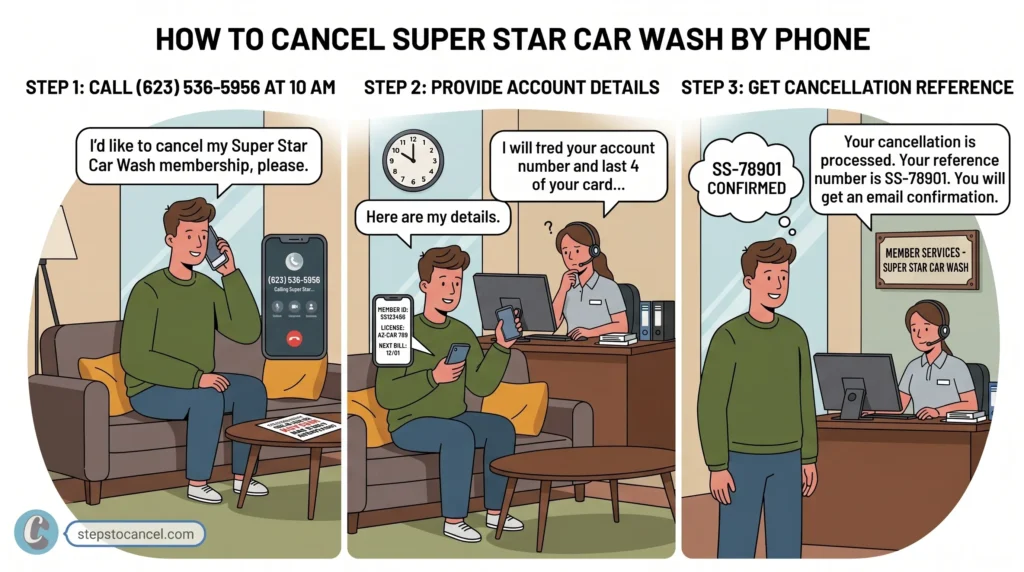
There is no dedicated cancellation phone line listed on their official website. However, you can reach customer support at:
- Phone: (623) 536-5956
- Hours: Monday – Friday, 8:00 AM – 5:00 PM (Arizona time)
Note: Phone support runs on an automated system. Many callers report the system redirects them back to the online cancellation form rather than processing the cancellation directly. Use phone support only if the online method fails.
Method 4: How to Cancel Super Star car wash via the Contact Us Form
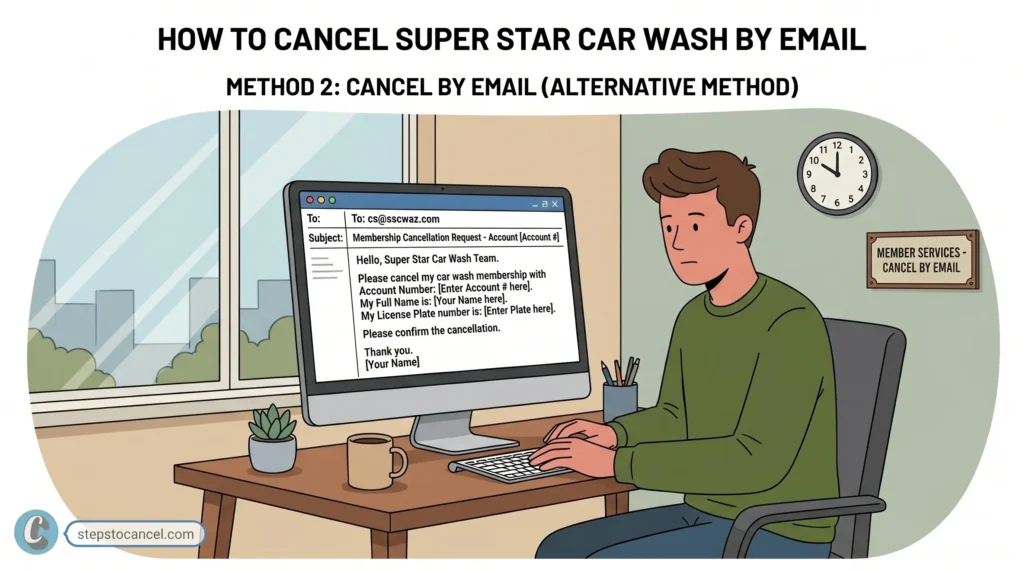
Use this method if the automated online cancel button fails to find your account.
- Open the Contact Us form on the Help Desk page.
- Enter your name, phone number, license plate, state, and payment information.
- Submit the form.
Super Star Car Wash states agents respond within 3 business days.
Cancellation Policy & Need-to-Knows
| Notice Required | At least 7 days before your billing date |
| Late Cancellation | Canceling within 6 days of renewal charges you for the next month |
| Refunds | None — Super Star Car Wash does not prorate mid-month cancellations |
| Access After Cancellation | Continues through the end of the current billing cycle |
| Wash Limit (Active Plans) | Up to 2 washes per day, per plan |
| Account Freeze/Pause | Available for travel or car repairs — request through the Contact Us form |
| Reactivation | Visit a physical Super Star Car Wash location |
The 7-Day Cancellation Rule
You are billed monthly on your original signup date. To avoid being charged for the next month, submit your cancellation request at least 7 days before your billing date. Requests submitted 6 days or fewer before renewal will not stop the upcoming payment.
Refunds & Partial Cycles
All fees are non-refundable, and there are no prorated credits for partial months. If you cancel mid-cycle, your membership remains active and usable until the end of that current billing period.
Pausing Your Membership
If you are traveling or your vehicle needs repairs, you can freeze your account using the online Contact Us form. A pause keeps your account open without billing you while inactive.
Prepaid Memberships
Prepaid plans run for 6 or 12 months and require in-person activation at a physical location. These plans are strictly non-refundable and do not offer an early-cancellation option.
Common Issues & Fixes
- “No membership found” error: Mobile browsers frequently fail to load account data in the portal. Switch to a desktop computer or tablet to complete your cancellation.
- Continued billing after cancellation: Screenshot your confirmation immediately and check your next statement closely.
- Phone support redirect loop: Calling (623) 536-5956 will not cancel your account—the automated system simply routes you back to the website. Save time by using the online portal or mail instead.
- Contact form delays: The online “Contact Us” form takes up to 3 business days to process. If your billing date is less than a week away, use the instant portal method instead.
- Fast Pass ID not found Try verifying with your license plate number and state instead. Make sure you’re entering the exact state where you originally signed up — this is a common mistake.
After You Cancel
- Save your confirmation email and screenshot.
- Monitor your card statement for one additional charge, since your access continues through the current billing cycle.
- Reactivate by visiting a physical Super Star Car Wash location if you change your mind later.
Super Star Car Wash Contact Information
| Help Desk / Cancellation Page | superstarcarwashaz.com/help-desk |
| Contact Us Form | superstarcarwashaz.com/customer-service-contact |
| Customer Service Phone | (623) 536-5956 — largely automated, low chance of reaching a live agent |
| Dispute Email | CS@sscwaz.com |
| Support Hours | Monday–Friday, 8:00 AM–5:00 PM Arizona time |
| Corporate Address | 960 W Behrend Dr, Suite 1, Phoenix, AZ 85027-4406 |
Full policy details: Super Star Car Wash Membership Terms