How to Cancel Your Splash Car Wash Membership (Max Pass) Online
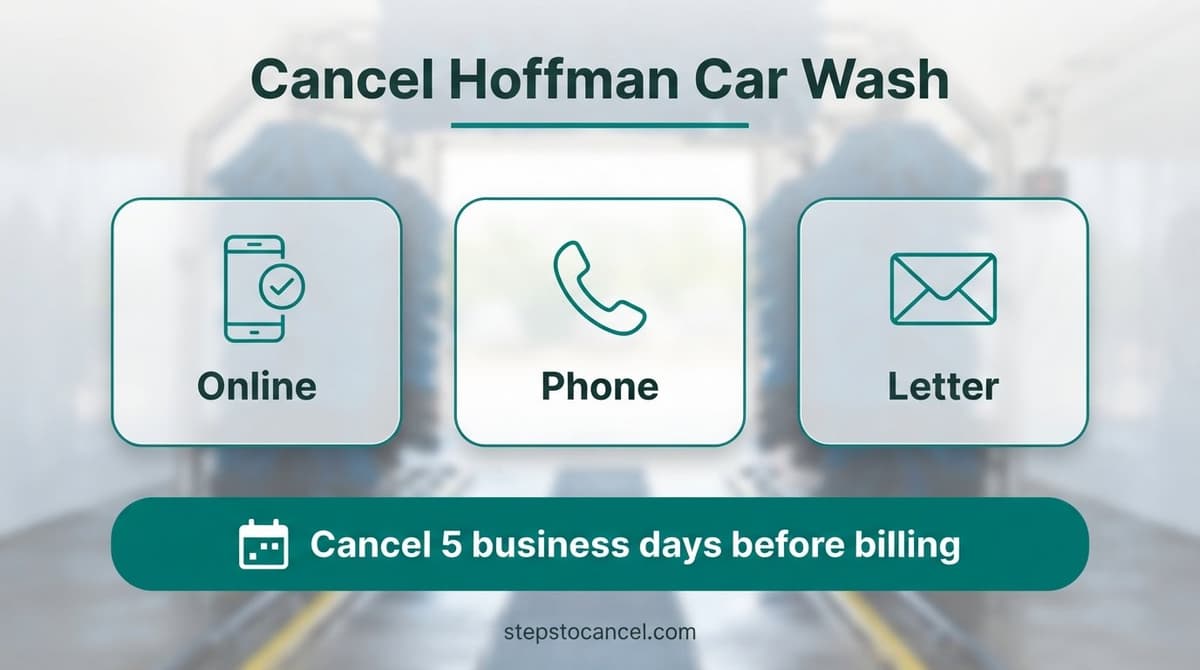
Hoffman Car Wash cancels Unlimited plans online through Manage My Plan, through Customer Care at (877) 446-3362, or by a letter to its Albany office. Do it at least 5 business days before your billing date, and keep the email Hoffman sends, because the cancellation is complete only once you’ve received it.[1]
Hoffman Car Wash cancellation notice: 5 business days before your billing date
Monthly plans renew automatically on the same date each month as the day you joined. Cancel at least 5 business days before that date so the request takes effect in time.
You can keep washing until the last day of the current billing cycle. Hoffman gives no full or partial refunds, so a request that misses the deadline usually means paying for one more month.
Example: if you joined on the 20th and the 20th falls on a Friday, cancel by Friday the 13th during business hours (Thursday the 12th to be safe). Weekends and holidays don’t count as business days, so count back on a calendar rather than subtracting five.
Comparing chains? Our car wash cancellation guides by chain list each one’s rules.
How to cancel Hoffman Car Wash online (Manage My Plan)
Manage My Plan handles most membership changes instantly, but Hoffman still calls its customer portal a work in progress, so if it doesn’t let you finish, call Customer Care or send a letter.[2]
What you need first
Have your phone ready, plus your license plate number or security sticker number. The portal may also ask for your Unlimited barcode number, the 12-digit number beneath the barcode on your windshield.
Steps
- Open Manage My Plan (the Club Membership Login page) and sign in with the phone number on your membership.
- Enter the 6-digit code Hoffman texts you and select Submit.
- Choose Cancel, Pause, Change Club Membership, then Cancel Membership.
- On the Don’t Miss Out! screen, select Cancel My Membership, then confirm with Cancel now.
- Wait for Hoffman’s email notification and keep it, because that email is what completes the cancellation.
Tip: no email yet as your billing date gets close? Call Customer Care.
These labels come from the portal’s login page; the wording you see after signing in may differ slightly.
Cancel Hoffman Car Wash by phone or letter
Hoffman’s FAQ says Customer Care can cancel by phone; its terms list only the website and a letter, so ask for the confirmation email either way. Call (877) 446-3362 on a weekday from 8 AM, and have your plate or sticker number ready.[3]
Hoffman lists closing times of 5 PM and 6 PM on different pages, so call before 5. Online requests sent outside business hours aren’t processed until the next business day.
To cancel in writing, mail a letter to Hoffman Car Wash, 16 Kairnes St., Albany, NY 12205, with your name and your license plate and/or security sticker number. Send it well ahead of the 5-business-day cutoff to allow for delivery.
Can you cancel at a Hoffman Car Wash location?
No. Location managers and staff can’t cancel Unlimited memberships, so use Manage My Plan, Customer Care or a letter instead.
Sold your car or replaced the windshield? Get a new tag instead
Each membership covers one vehicle, and the windshield tag can’t be moved to another car. If you sell the car or replace the windshield, tell Hoffman: it deactivates the old membership number and issues a new one.
If you don’t want the plan on another car, cancel instead, and do it before the tag leaves with the old car. The plate or sticker number is what Hoffman asks for when you cancel.

Card declined? Hoffman retries it for up to 8 days
A declined card doesn’t cancel the plan right away. If a payment fails, Hoffman tries the card for up to eight consecutive days, and the membership is inactive until a charge goes through. After eight failed attempts the membership becomes permanently inactive, and you’d have to re-enroll to rejoin.
Hoffman Car Wash cancellation FAQs
Is there a fee to cancel Hoffman Car Wash?
Hoffman’s terms list no cancellation fee. You keep washing to the end of the cycle, but there’s no refund for the unused part.
Can I pause my Hoffman membership instead?
The portal shows a Pause Membership option, but Hoffman doesn’t publish pause rules, so ask Customer Care how long a pause lasts first. You can also drop to a cheaper plan at HoffmanCarWash.com/update; changes start with the next billing cycle and need the same 5 business days’ notice.
I prepaid a yearly plan. How do I cancel it?
Ask Customer Care how cancellation works before you cancel. Hoffman sells yearly options billed annually, but its terms describe monthly plans and say there are no refunds.
References
- Hoffman Car Wash, Unlimited Terms and Conditions.
- Hoffman Car Wash, Contact.
- Hoffman Car Wash, FAQ (Unlimited).