If you have been searching for a way to stop your Tommy’s Express billing and can’t find a cancel button, there is a catch: they actually call it “Deactivate.”
Because Tommy’s manages everything through their exclusive TommyClub LPR (License Plate Recognition) app, getting out of your contract requires a completely different strategy than the traditional RFID-sticker methods outlined in our other car wash cancellation guides.
To help you navigate this unique setup, this guide walks through every method, the per-vehicle rule that catches multi-car households off guard, and what to do if the app locks you out entirely.
Before You Cancel: What You Need
- Tommy’s Express app installed, or access to app.tommys-express.com in a browser
- Account login credentials (email and password)
- Billing date — the renewal date for each vehicle’s plan
- One cancellation per vehicle — each enrolled car requires its own deactivation
Signed up at the physical window? If you purchased a pass in person and skipped the app setup, your account may not be fully linked to a digital profile. Open the Tommy’s Express app, create an account with the same phone number and email used at signup, and upload your receipt to link the membership before attempting to deactivate.
How to Cancel Tommy’s Express Car Wash Membership
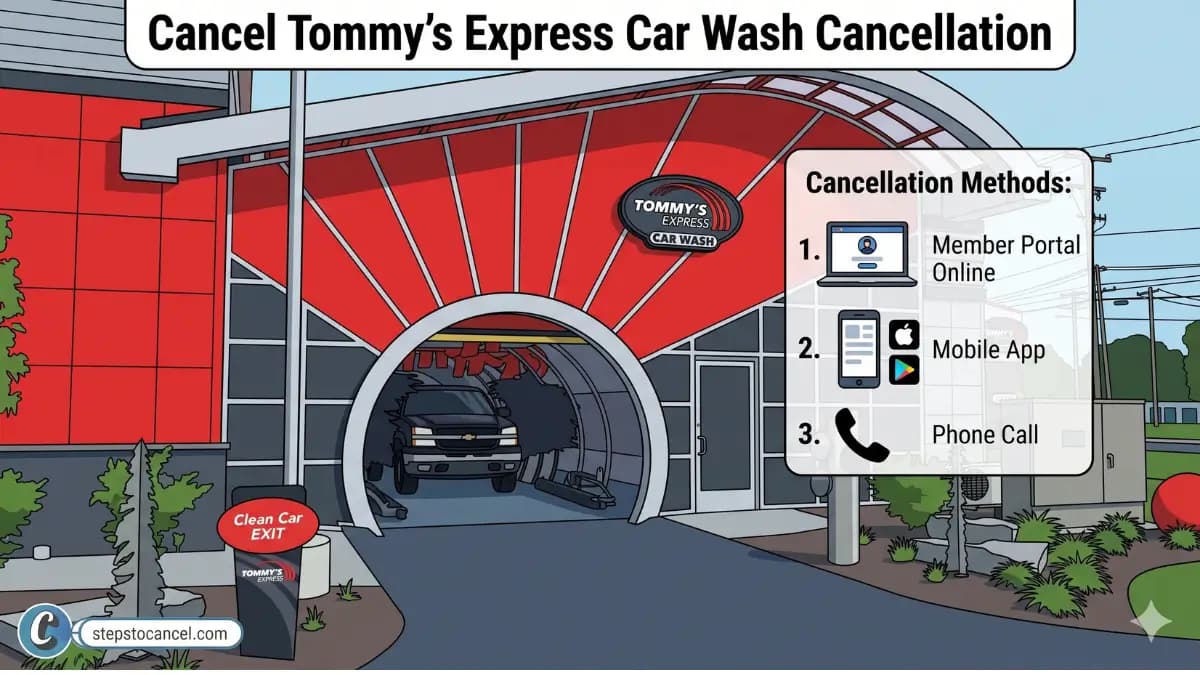
You can cancel tommy’ express carwash membership through their app availabe in both IOS and Androidn, Webiste Online Portal or Phone Call.
Official Cancellation Video from Tommy’s Express
Method 1: Tommy’s Express App (Recommended)
The app provides the only fully self-service cancellation path. Deactivation takes effect immediately — no waiting period required when canceling through the app.
Download the official app for Android or IOS, then follow the steps listed below.
Open Tommy’s Express official Mobile App

Open the Tommy’s Express app sign in or create new account if you havent registered yet.
Select Your Vehicle
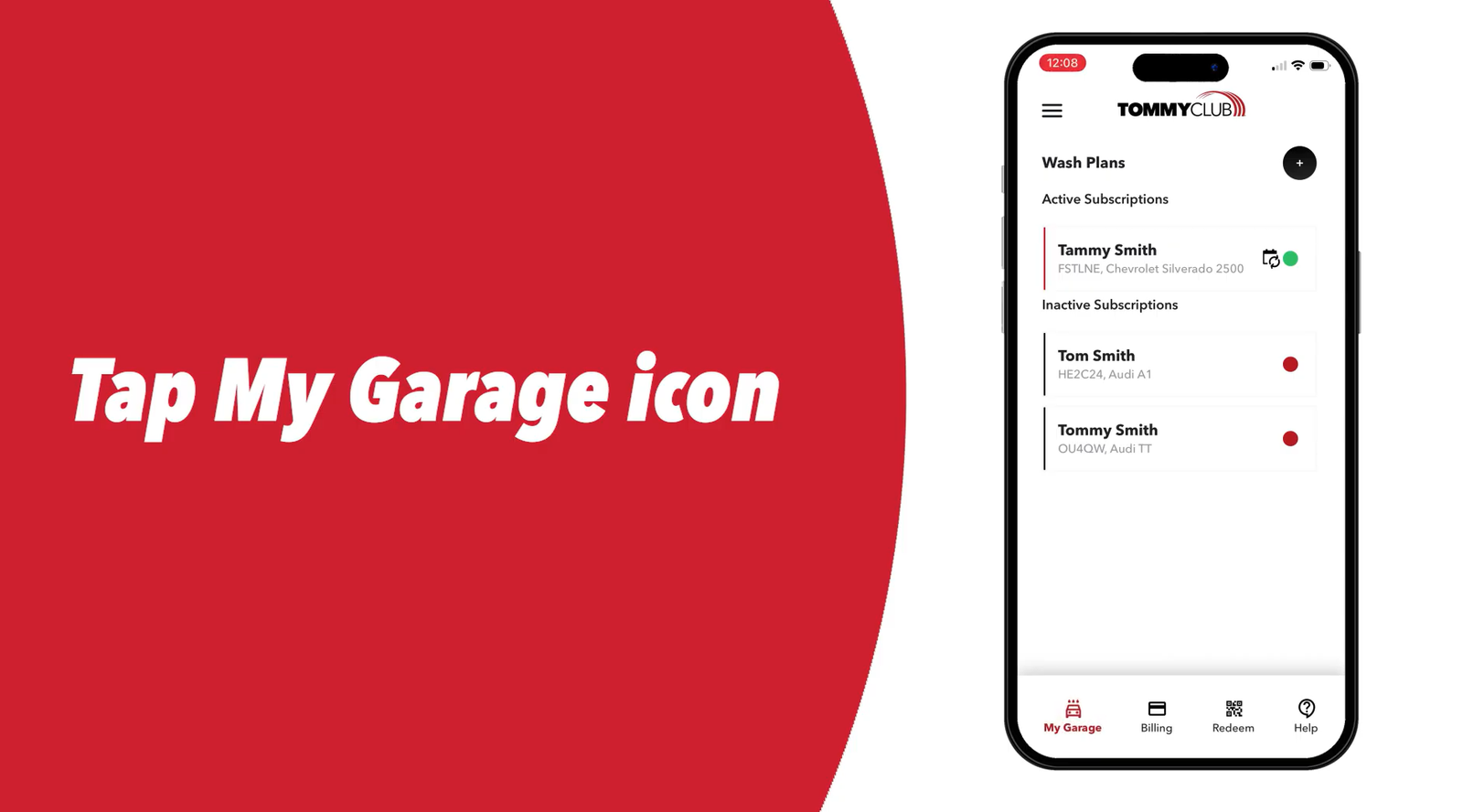
Tap on “My Garage” menu then choose the vehicle whose plan you want to deactivate from your garage.
Tap the Modify Drop-Down
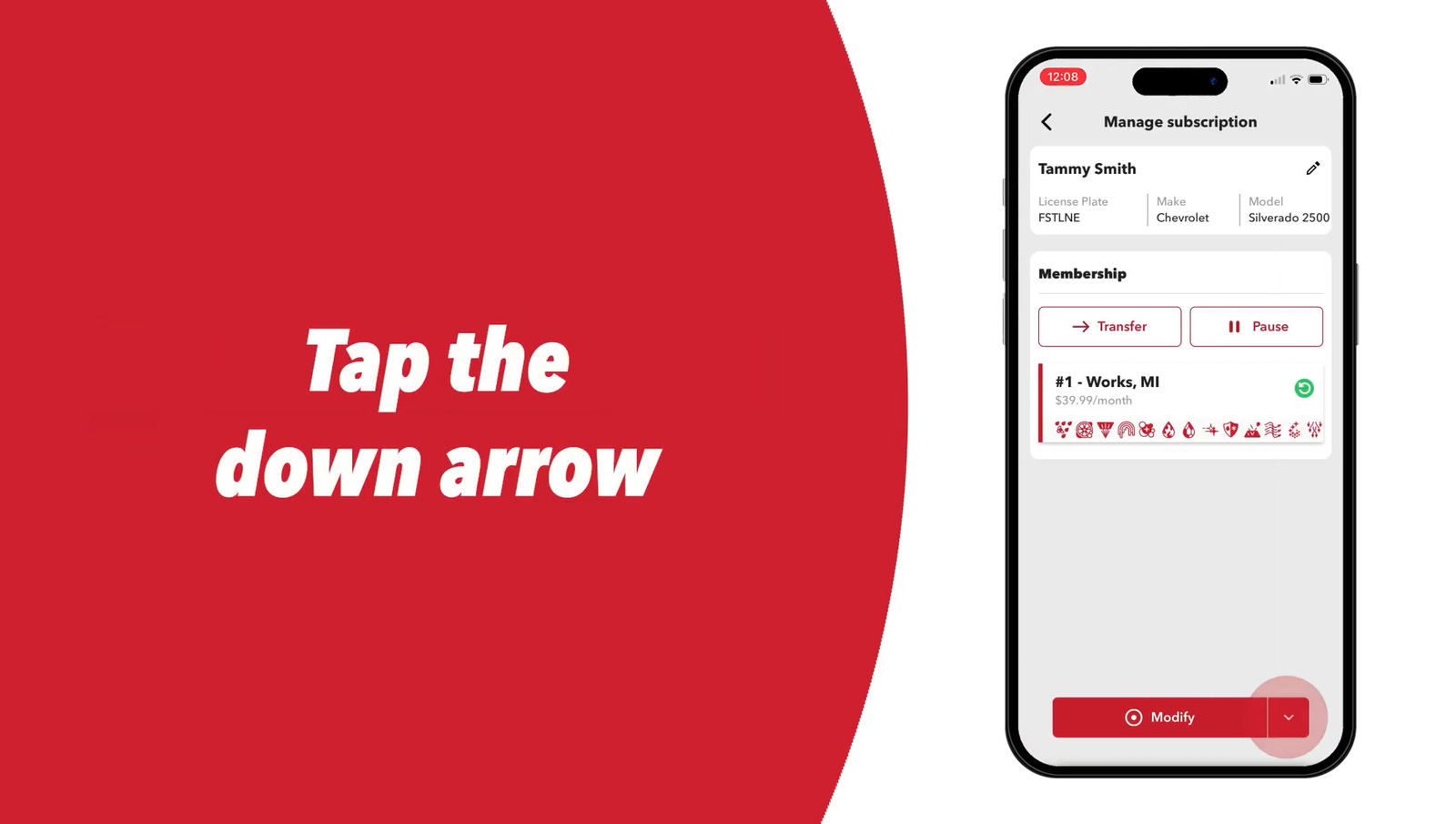
Tap the drop-down arrow next to Modify.
Select Deactivate Plan
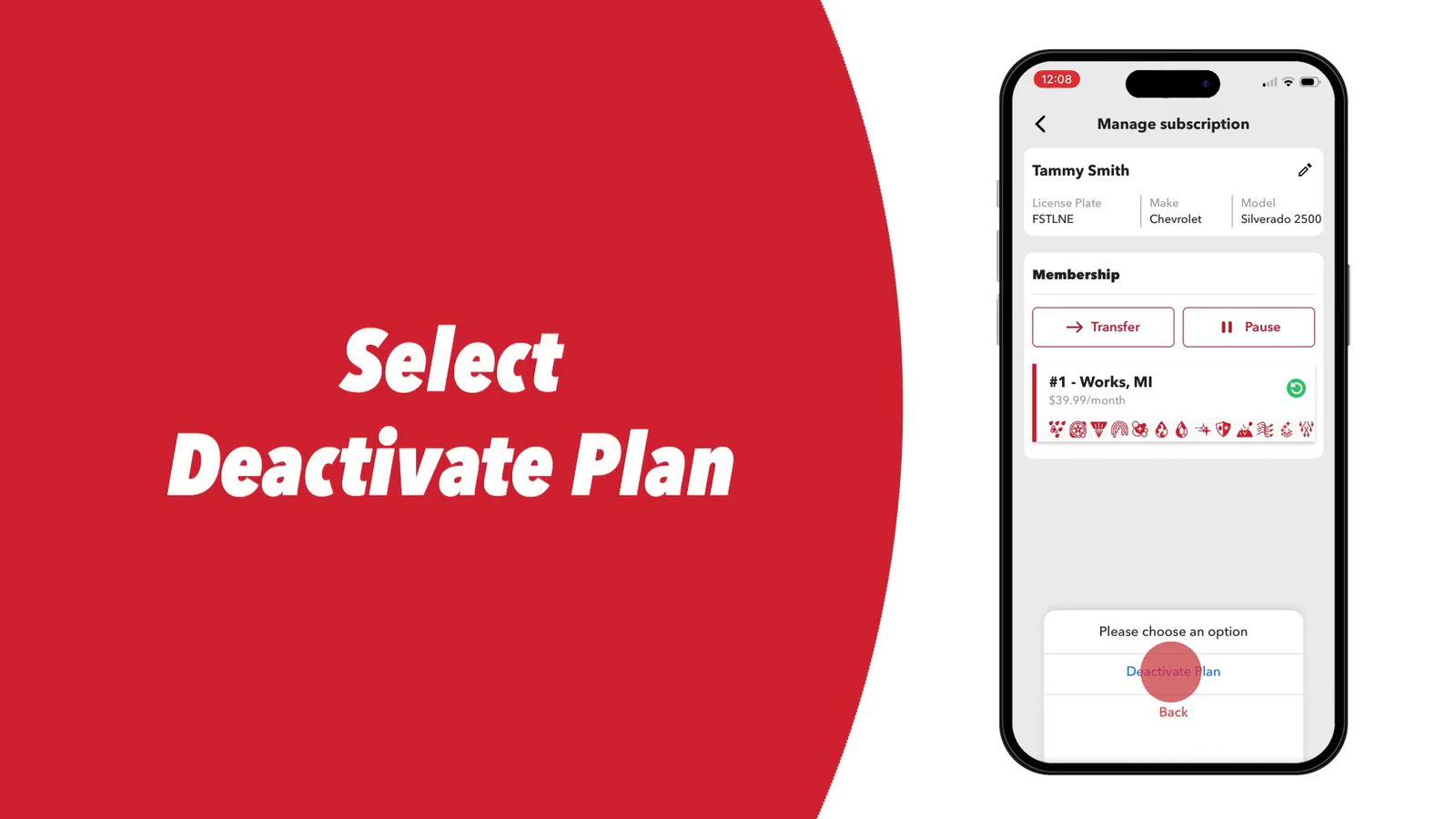
Select Deactivate Plan from the menu. (This is the cancellation option — Tommy’s Express does not use the word “Cancel” in the UI.)
Pick a Reason
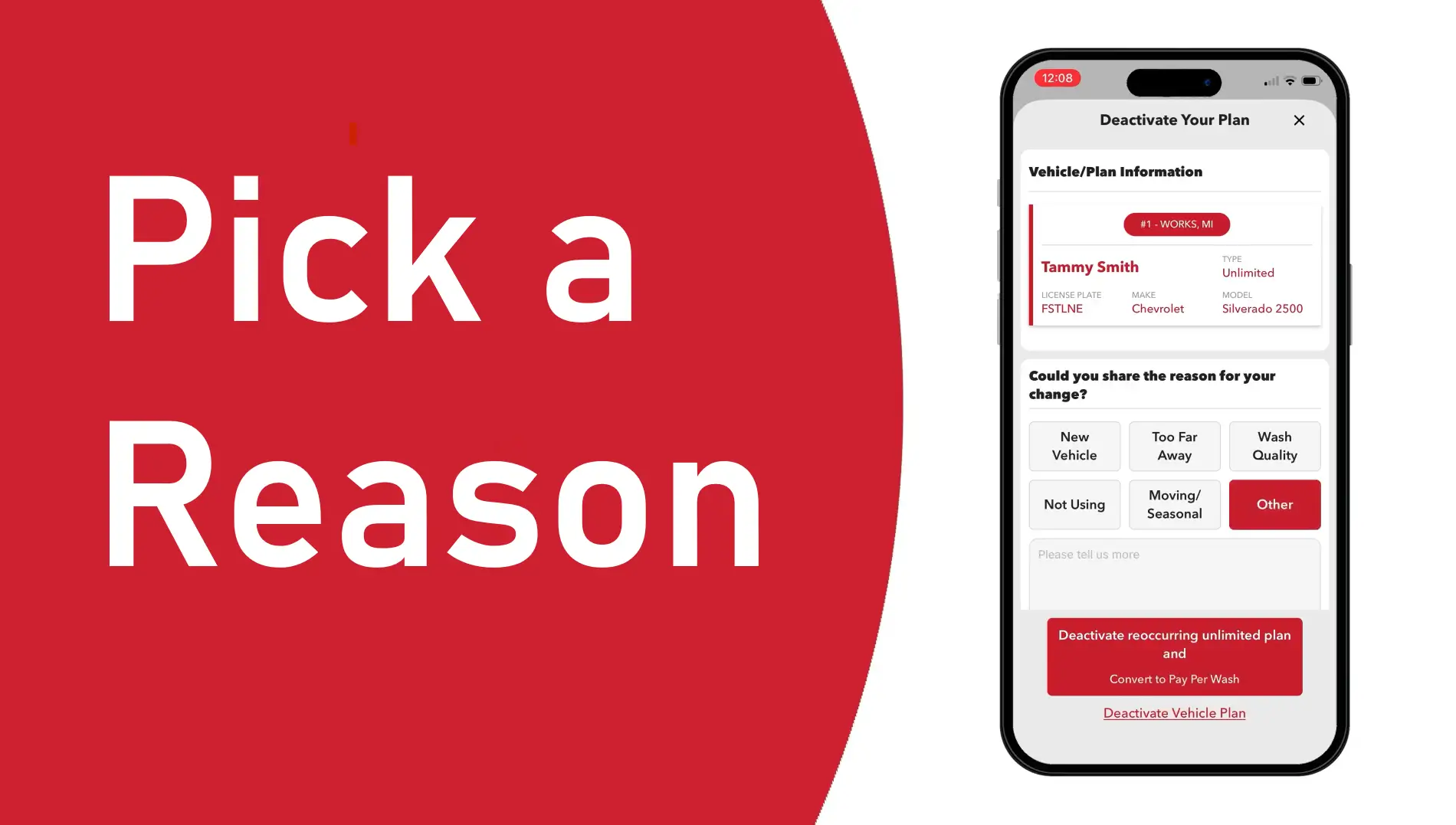
Select a reason for deactivation from the list provided.
Tap Deactivate Vehicle Plan
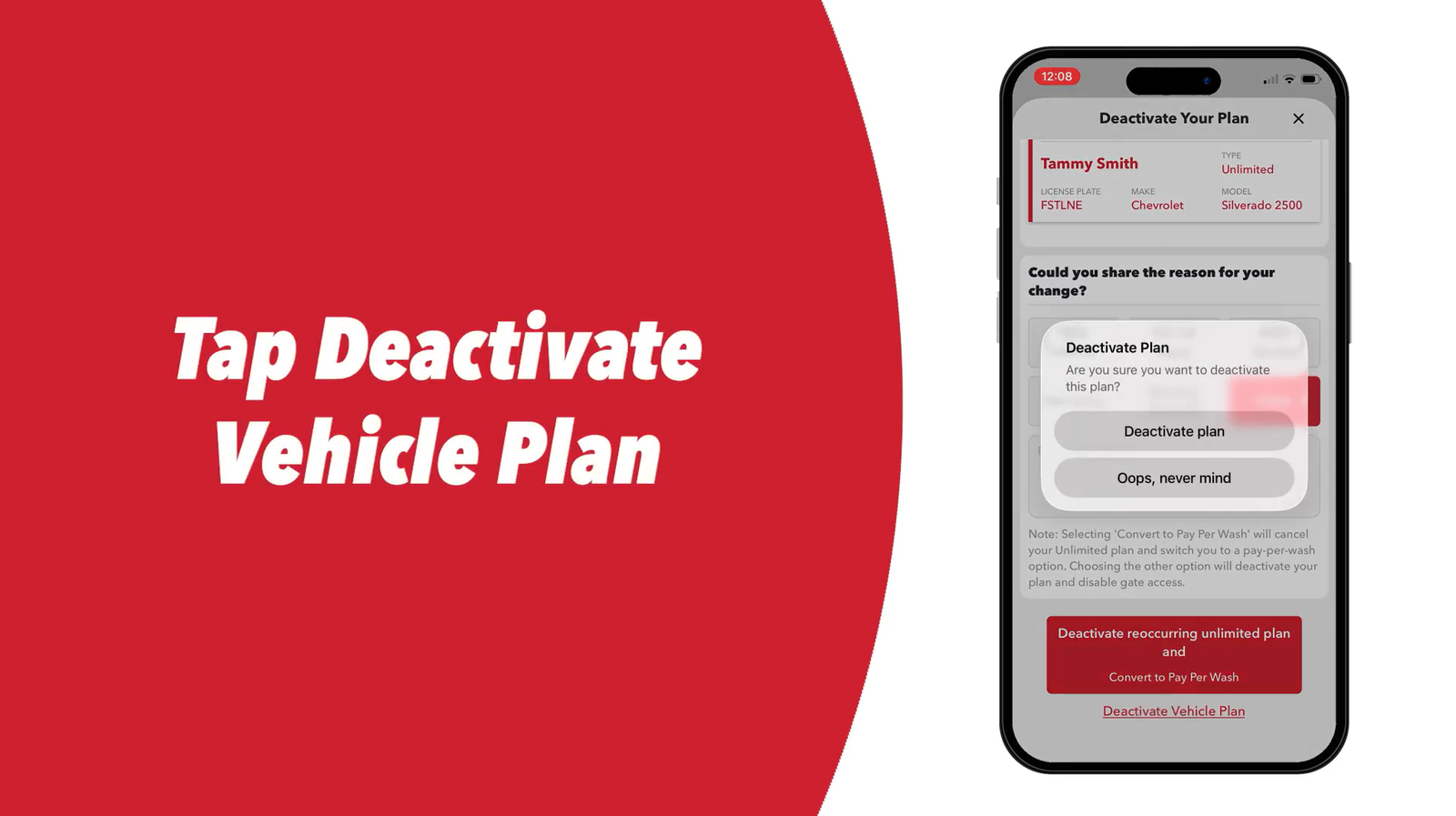
Tap Deactivate Vehicle Plan to proceed.
Confirm a Second Time
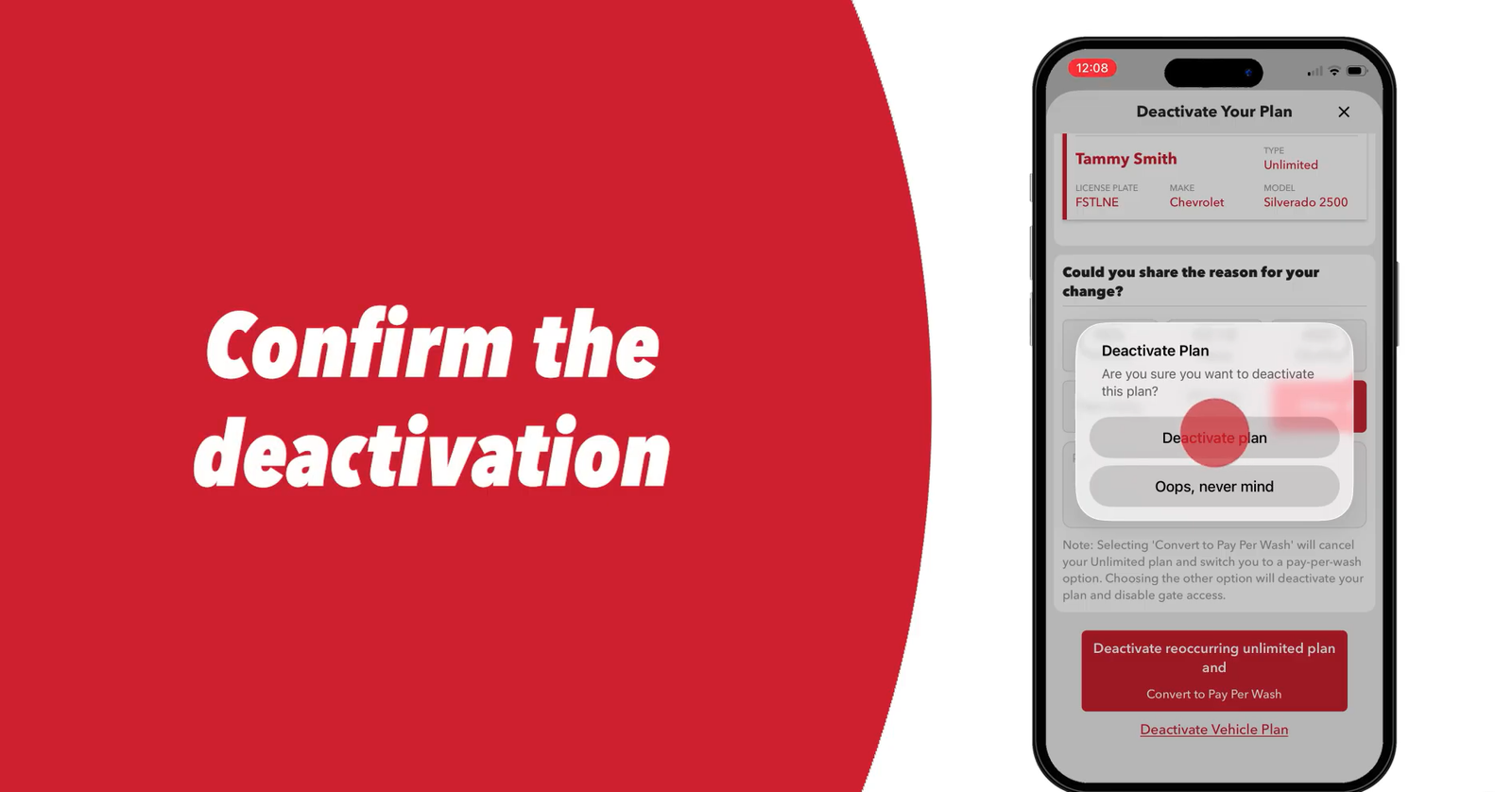
Tap Deactivate Plan again to confirm. Tommy’s Express requires two confirmations to process the deactivation.
Tap the X to Close
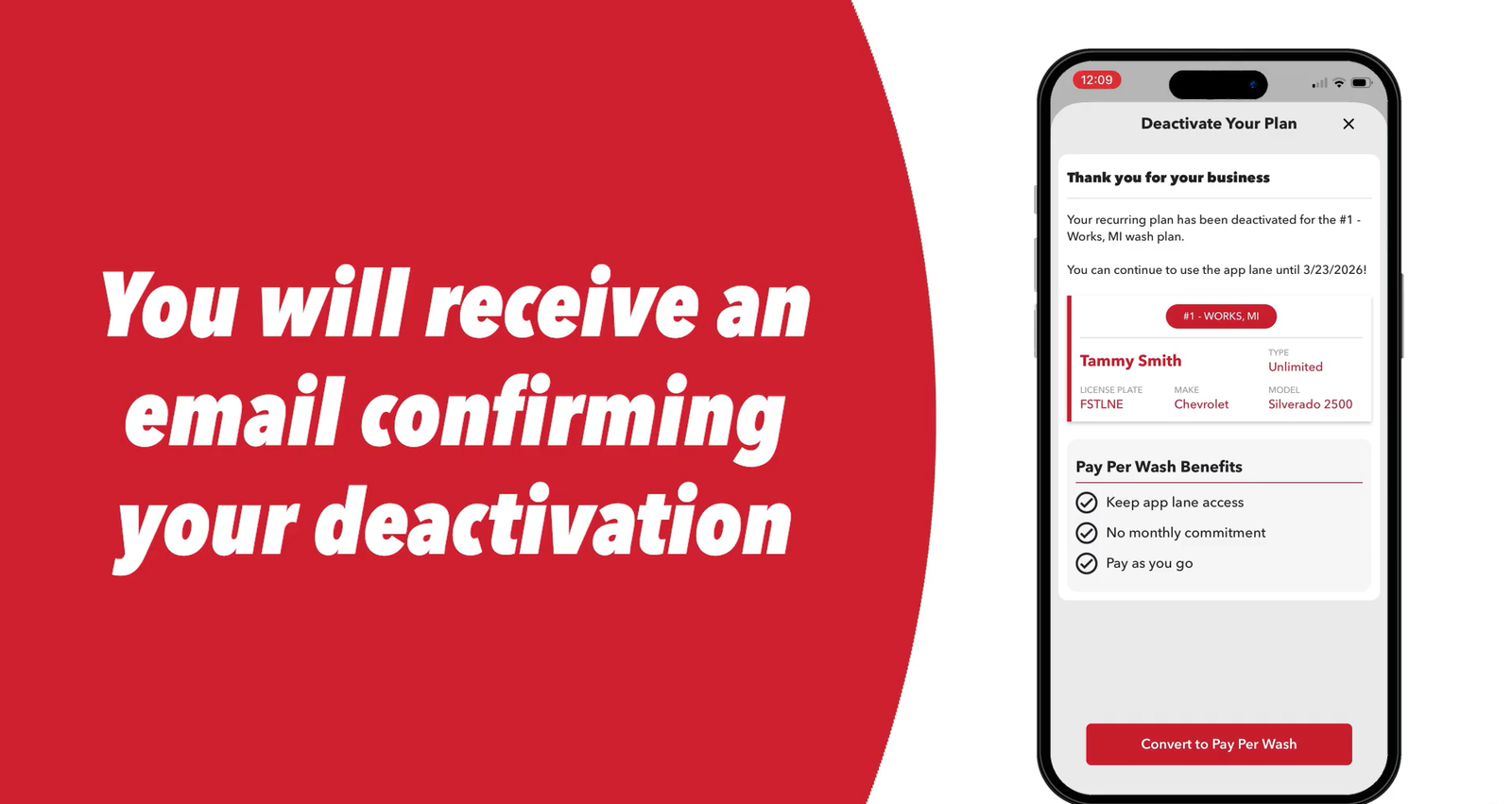
Tap the X in the top right corner to close the screen. Do not skip this step — closing the screen completes the deactivation process. Tommy’s Express sends a confirmation email once the deactivation registers.
Multiple vehicles? Repeat Steps 1–8 for each car enrolled in TommyClub. Deactivating one vehicle does not cancel others on the same account.
Method 2: Member Portal (Web Browser)
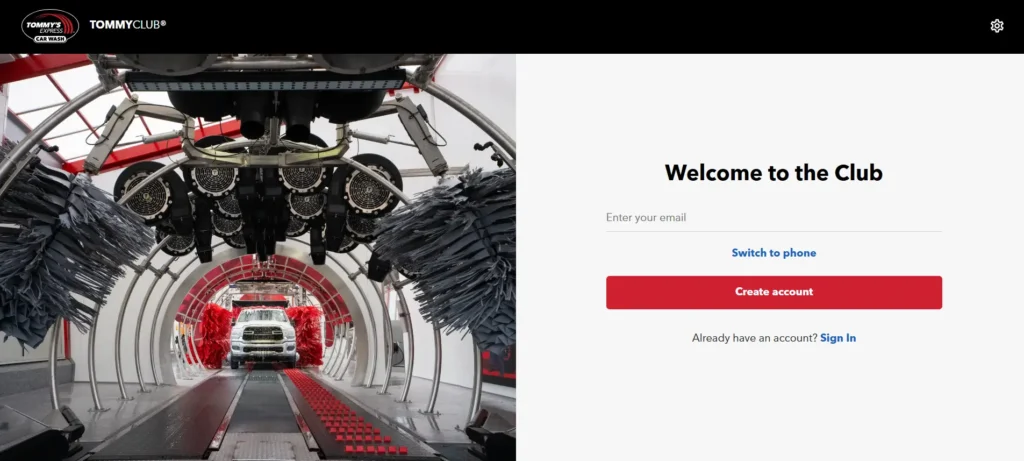
Use the Tommy’s Express online portal to cancel your membership if you cannot access the mobile app.
1. Access the Member Portal: Type app.tommys-express.com into your desktop or mobile web browser.
2. Sign In to Your Account: Enter your registered email address or Phone Number to to log in.
3.Select Your Vehicle: Click Garage from the navigation menu, then click the specific vehicle you want to remove.
4.Open the Modify Menu: Click the drop-down arrow next to the Modify button.
5.Choose the Deactivate Option: Click Deactivate Plan from the drop-down menu.
6.Provide a Reason: Select your cancellation reason from the provided list.
7.Confirm the Cancellation: Click Deactivate Vehicle Plan. Finally, click Deactivate Plan a second time to submit and finish the process.
The Member Portal mirrors the app’s deactivation flow. Use it as a direct substitute when the mobile app is inaccessible.
Method 3: Cancellation by Phone
You can cancel your membership directly through the Tommy’s Express Guest Services line.
- Call Customer Support: Dial (616) 369-8917.
- Check the Hours: Call Monday through Friday (8:00 AM to 8:00 PM ET) or on weekends (8:00 AM to 5:00 PM ET).
- Provide Your Details: Give the agent your registered phone number, full name, and vehicle license plate.
- Request Confirmation: Ask the agent to cancel your account and send a confirmation email before you hang up.
You must call at least 5 business days before your next billing date. If you call too close to your renewal, the company will charge you for an extra month.
Note: Members report that the phone line frequently goes unanswered. If you cannot reach an agent, use the app or Member Portal rather than waiting — especially if your billing date is approaching.
Now that you have deactivated your TommyClub account, if you are transitioning to a traditional wash network, we highly recommend reviewing how to cancel a Mister Car Wash membership so you understand how standard in-person termination policies work before signing a new contract.
Free Month Card Warning
Tommy’s Express locations sometimes hand out “free month” promotional cards at the kiosk. Using one of these cards restarts a recurring TommyClub subscription automatically — including billing after the free month ends.
Before you use a free month card, check the fine print for auto-renewal language. If you use the card and do not want a recurring subscription, deactivate your plan in the app on the same day you activate the card. Your free month remains active; the auto-renewal stops.
Cancellation Policy & Need-to-Knows
| Policy Item | Details |
|---|---|
| Cancellation Method | App or Member Portal (self-service, immediate); phone (5 business days notice) |
| Cancellation Fee | None — TommyClub is month-to-month with no penalties |
| Refund Policy | None — no pro-rated refunds or credits for partial billing periods |
| Membership Access After Cancellation | Continues through end of current billing cycle |
| Per-Vehicle Cancellation | Each vehicle requires a separate deactivation |
| Failed Payment | Wash access halts immediately — restore by updating payment in the app |
| Confirmation | Email sent automatically after successful app or portal deactivation |
Pause Option (30, 60, or 90 Days)
Tommy’s Express offers a pause feature directly in the app if you need a temporary break rather than a full cancellation.
- Open the app and select your vehicle.
- Tap Pause Subscription.
- Choose a pause duration: 30, 60, or 90 days.
The pause applies to future billing only — it does not freeze your current cycle. Tommy’s Express automatically restarts billing and charges your card when the selected pause period expires. Set a calendar reminder before the pause ends if you want to cancel instead of reactivating.
Solutions to Common Issues
App locked out — can’t log in to cancel: Open app.tommys-express.com in a browser. The Member Portal provides the same deactivation flow as the mobile app and does not require the mobile version to work. If both fail, call (616) 369-8917 with at least 5 business days to spare before your billing date.
Charged after deactivating: Locate your confirmation email and the date it was sent. If the charge processed after that date, contact Guest Services at (616) 369-8917 or email support@tommys-express.com with the confirmation as evidence. If Tommy’s Express does not resolve it, contact your card issuer to dispute the charge — provide the confirmation email as documentation.
Pause expired and got charged: Tommy’s Express auto-restarts billing when a pause period ends. If you wanted to cancel rather than pause, deactivate in the app immediately and contact support if a charge already posted.
Physical window signup not linked to app: If you signed up in person and your membership is not appearing in the app, create an account using the same email and phone number from your original signup and upload your receipt to link the plan. Without this, you cannot self-serve cancel through the app.
After You Cancel
- Save your confirmation email immediately after deactivation.
- Check each vehicle in your garage separately — one confirmation email means one vehicle was deactivated.
- Watch your statement for one final charge if your billing date has not passed yet.
- Avoid using any free month promotional cards after cancellation unless you are ready to restart a recurring subscription.
- Reactivate through the app or Member Portal when ready.
Contact Information
| Channel | Details |
|---|---|
| Member Portal | app.tommys-express.com |
| Phone | (616) 369-8917 |
| Business Hours | Mon–Fri 8AM–8PM ET, Sat–Sun 8AM–5PM ET |
| Email (Support Only) | support@tommys-express.com |
| Official Deactivation Guide | Tommy’s Express Help Center |
| Terms & Conditions | tommys-express.com/agreement |

Frequently Asked Questions
Does Tommy’s Express charge a cancellation fee?
No. TommyClub is month-to-month with no cancellation fees or early termination penalties.
Will I get a refund after deactivating?
No. Tommy’s Express issues no pro-rated refunds for unused time. Your membership stays active through the end of the billing cycle you already paid for.
I have three cars enrolled — do I cancel them all at once?
No. Deactivate each vehicle separately in the app or Member Portal. One deactivation does not affect other vehicles on the same account.
The app won’t let me log in. How do I cancel
Open app.tommys-express.com in a browser — the Member Portal provides the same deactivation flow. If the portal also fails, call (616) 369-8917 with at least 5 business days before your billing date.
Can I pause my TommyClub membership instead of canceling?
Yes. Open the app, select your vehicle, and tap Pause Subscription. Choose 30, 60, or 90 days. Billing resumes automatically when the pause period ends.
I used a free month card and got charged the following month — is that correct?
Yes, if the card’s terms included auto-renewal language. Using a promotional free month card restarts a recurring subscription. Deactivate your plan in the app on the same day you activate a free month card to prevent the next billing cycle from posting.
How do I know my cancellation went through?
Tommy’s Express sends a confirmation email after a successful app or portal deactivation. If no email arrives within a few hours, the deactivation may not have completed — re-open the app and check whether the vehicle still shows an active plan.