Cancel Take 5 Car Wash membership

To cancel a Whistle Express Car Wash membership, use the Whistle App or visit any Whistle Express location at least 7 days before your plan renews. Those are the two cancellation routes in the Whistle Express Terms (§5.5), and the Manage Membership page on its website also takes cancellation requests. You keep access through the end of the billing period, and paid fees are not refunded (§5.6).
This guide covers each route, the 7-day rule, what happens to prepaid plans, and what to do if a charge appears after you cancel.
Before You Cancel: What You Need
- Account phone number or email — used to locate your membership
- Billing date — the day of the month you signed up
- One membership per vehicle — if you have multiple cars enrolled, cancel each vehicle’s plan separately
Check your account details before you cancel. If the app or customer care can’t find your membership, the name, phone number or email entered at sign-up may not match yours. Confirm them in the app well before your billing date.
The Whistle Express Terms name the Whistle App and any Whistle Express location as the ways to cancel (§5.5). The Manage Membership page on its website also takes cancellation requests through a customer care form (Method 1); if you use it, keep a copy of what you submit.
Method 1: Cancel Through the Manage Membership Request Form
Whistle Express’s Manage Membership page takes requests for billing updates, plan changes and cancellation through a customer care form.
The Terms name the app and in-person visits as the cancellation routes (§5.5), so treat the form as an extra route and keep proof of your request.
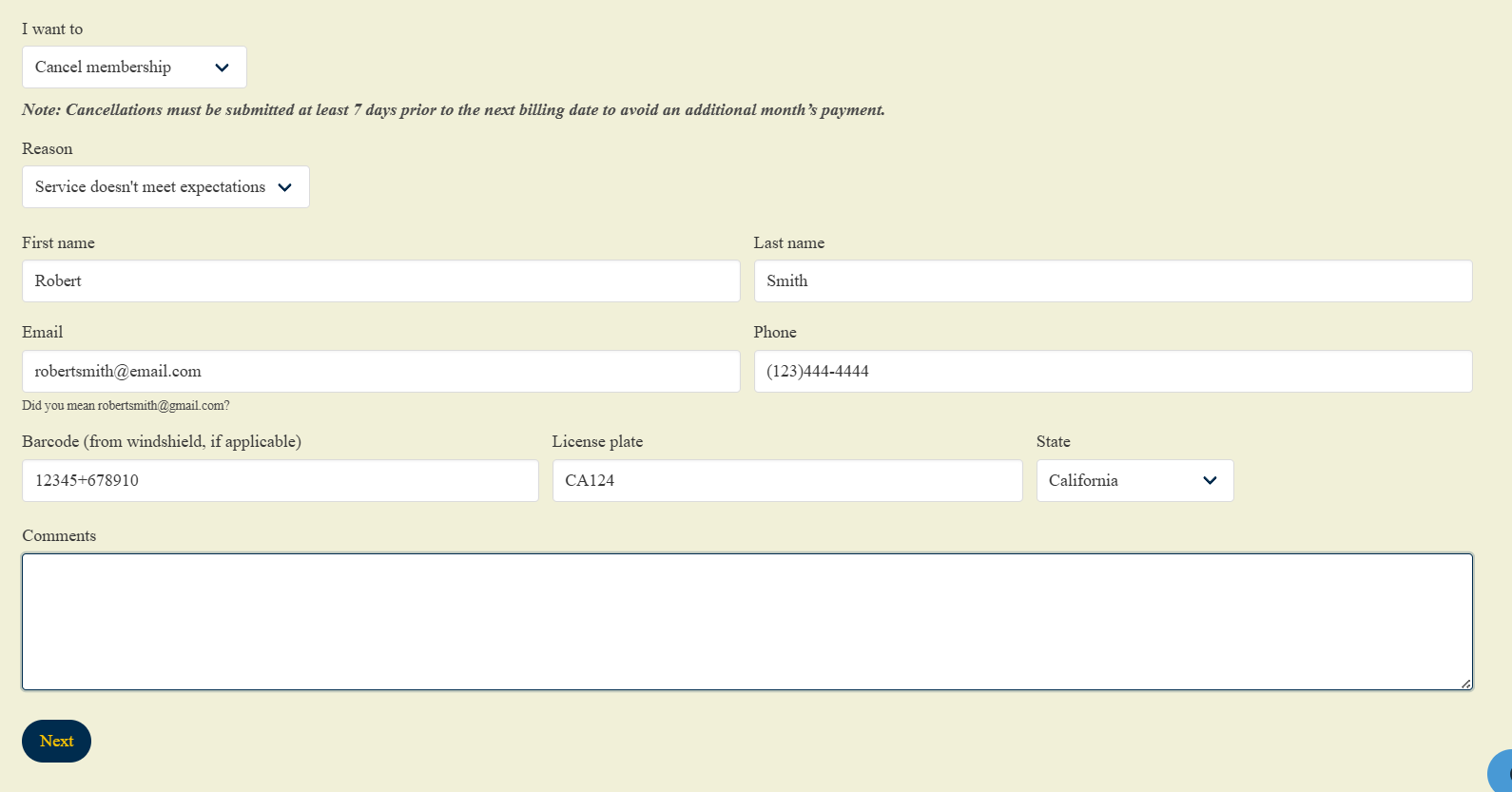
Open the Whistle Express Manage Membership Portal
Navigate directly to the official Whistle Express Manage Membership page whistleexpresscarwash.com/manage-membership
Choose to cancel
In the request form of the Manage Membership page, choose the cancellation option. The form loads inside the page, so we could not confirm its exact labels.
Enter your account details
Enter the name, email address and phone number on your membership so customer care can find your account.
Identify the vehicle
Add the vehicle details the form asks for so the request is matched to the right plan.
For example, enter your license plate if the form asks for it.Submit the Cancellation Request
Submit the request, then keep the screenshot or confirmation email. The Contact Us page says replies can be delayed during heavy volume, so send it well before the 7-day cutoff.
Method 2: Cancel Whistle Express in the Whistle App
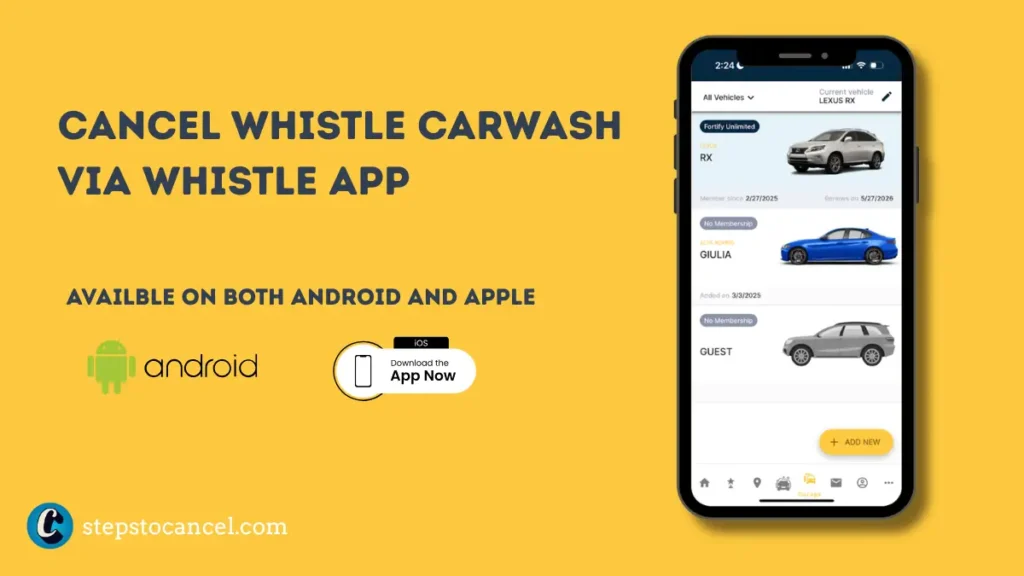
What You Need: The Whistle Express app installed on your mobile device, and your account logged in. The Terms confirm you can cancel in the app (§5.5); the screen labels below could not be checked without a member login.
- iOS/Apple Users: Download the official app from the Apple App Store.
- Android Users: Download the official app from the Google Play Store.
Step 1: Open the App and Tap Garage
Open the Whistle Express app on your device. Tap the Garage button located along the bottom menu of the home screen.
Step 2: Select Your Vehicle
The app lists all vehicles linked to your profile. Select the specific vehicle associated with the active membership plan you want to cancel.
Step 3: Tap the Pencil Icon
Tap the pencil icon located in the upper right corner of the screen to open your detailed plan management settings.
Step 4: Cancel Your Membership
Locate your plan details. Select Cancel next to your active membership profile and follow the on-screen prompts to confirm your choice.
Step 5: Save Your Confirmation
Screenshot your confirmation screen immediately. If the Whistle Express billing system charges your credit card after a confirmed cancellation, this digital screenshot provides your essential evidence for a bank dispute.
Timing: Cancel at least 7 days before your plan renews (Terms §5.5). If you cancel later, expect one more monthly charge. Paid fees are non-refundable (§5.6), and you keep access through the end of the billing period.
Method 3: Whistle Express Cancel Membership In Person
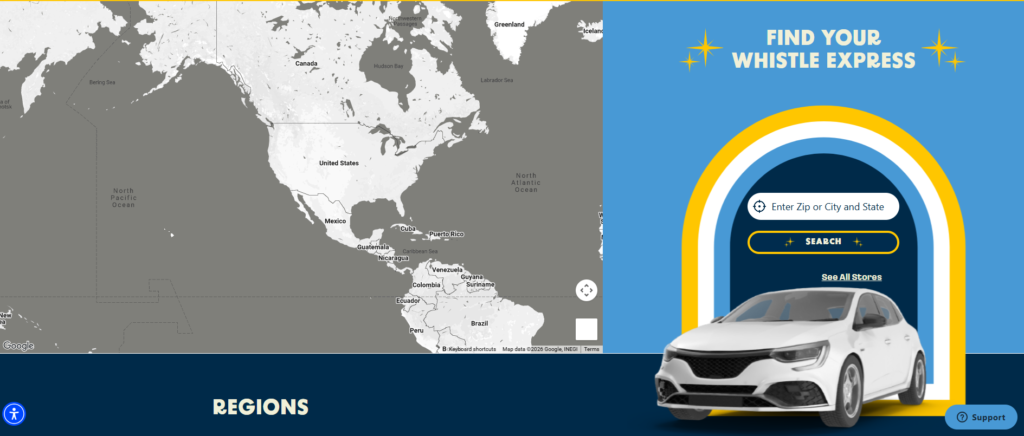
Visit any Whistle Express Car Wash location and ask a site attendant or manager to cancel your recurring membership plan.
Ask for a printed or written cancellation receipt before you leave.
If the staff member can’t complete the cancellation, ask them to note it and give you a reference, then cancel in the app or submit a customer care ticket the same day.
Whistle Express bought Take 5 Car Wash sites in 2025. If your plan is still under the Take 5 name, see how to cancel Take 5 Car Wash.
Cancellation Policy & Need-to-Knows
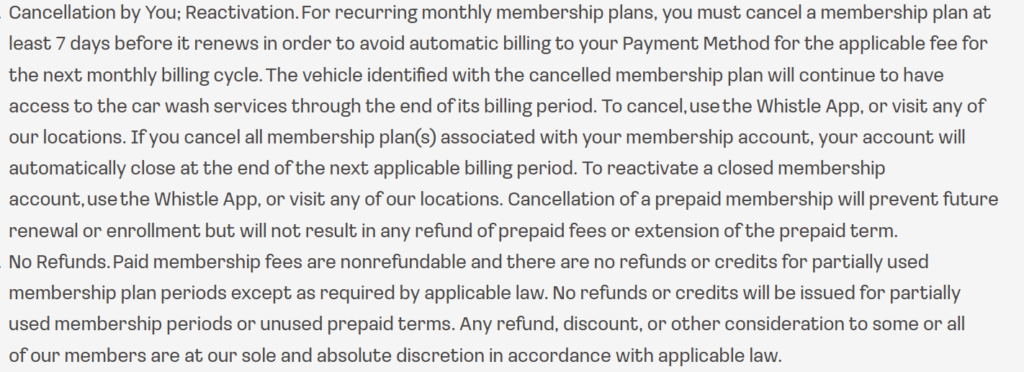
| Official Cancellation Methods | Whistle App or any location (Terms §5.5); the Manage Membership request form also takes cancellations |
| Cancellation Notice Period | 7 days before your billing date |
| Cancellation Fee | None listed in the Terms |
| Refund Policy for Unused Time | None — paid membership fees are non-refundable |
| Membership Access After Cancellation | Continues through the end of the current billing cycle |
| Account Closure | Closes automatically at the end of the next applicable billing period after all plans are cancelled |
| Reactivation | Via the Whistle App or at any location |
| Vehicle Transfer | Expressly prohibited — membership plans cannot be transferred to another vehicle or person |
| Prepaid Plan Cancellation | Stops future renewal but issues no refund for unused prepaid time |
| Fee Change Notice | Whistle Express posts fee changes at impacted locations and on the location website 30 days before they take effect |
Source: Whistle Express Terms and Conditions (§1, §4.5, §5.2, §5.5, §5.6, §12.6), checked October 23, 2026.
The 7-Day Notice Rule
Whistle Express bills your card on the same date each month you signed up. Submit your cancellation at least 7 days before that date. Cancel within 6 days of your billing date and Whistle Express charges you for the next month — your access simply continues through that cycle, but no refund is issued.
Refund Policy
Whistle Express issues no refunds or credits for partly used membership periods or unused prepaid terms (Terms §5.6). If you’re charged after a confirmed cancellation, submit a customer care ticket with your confirmation. If that doesn’t resolve it, contact your card issuer promptly; dispute time limits are set by your issuer.
Vehicle Transfer Is Prohibited
Unlike some car wash memberships, Whistle Express Terms explicitly prohibit transferring your plan to a different vehicle or another person. If you get a new car, you must cancel the old membership and sign up a new one for the new vehicle — you cannot reassign the existing plan.
Prepaid Memberships
Whistle Express prepaid plans expire automatically at the end of the prepaid term — no cancellation request is needed. However, if you enrolled in a recurring monthly plan separately, that plan continues billing on its own schedule and requires a separate cancellation.
30-Day Arbitration Opt-Out
The Whistle Express Terms include a binding arbitration clause that waives your right to a jury trial or class action. You have 30 days from your membership purchase to opt out. Send written notice to:
Whistle Express Wash Operations LLC 5821 Fairview Drive Charlotte, NC 28209
After 30 days, any dispute must go through individual binding arbitration under AAA Commercial Rules.
Common Issues
Charged after you cancelled: Screenshot your confirmation right after cancelling. Submit a customer care ticket with it, and if that doesn’t fix the charge, dispute it with your card issuer.
“Account not found” when trying to cancel: This can happen when account details were entered incorrectly during in-person signup. Provide your full name, phone number, email, and billing card details together — multiple matching details help support locate the account when a single field fails.
A membership you didn’t sign up for: In October 2025, Live5 News reported customers of the Folly Road location in James Island, S.C. who were charged for memberships they hadn’t agreed to; the location’s manager said the employee responsible had been let go, and one customer was refunded after contacting corporate. If you see a charge you didn’t authorize, submit a customer care ticket and ask support to search for every account under your phone number and email.
Multi-vehicle households: Whistle Express bills each vehicle’s plan separately. Cancel each vehicle independently — canceling one plan does not cancel others on the same account.
Staff can’t complete the cancellation: Ask for a reference or a note of the visit, then cancel in the app or submit a customer care ticket the same day so the request is on record before the 7-day cutoff.
No customer service phone line found: The Whistle Express Contact Us page lists the app and a customer care ticket, not a phone number (checked October 23, 2026). The number in its Terms is only for texting STOP to end SMS messages.
After You Cancel
- Save your app confirmation screenshot and any email confirmation.
- Do not transfer your membership — Whistle Express Terms prohibit it. Cancel the old plan and enroll the new vehicle separately.
- Check your next statement — if you cancelled fewer than 7 days before renewal, one more monthly charge can still post (Terms §5.5).
- Watch for a later charge — if a charge appears after that, submit a customer care ticket with your confirmation screenshot.
- Reactivate via the app or at any Whistle Express location if you want to re-enroll later.
Contact Information
| Cancel via App | Whistle App → Garage → vehicle → pencil icon → Cancel (labels not confirmed) |
| Manage Membership (Website) | whistleexpresscarwash.com/manage-membership |
| Customer Care Ticket | Submit a request (linked from the Contact Us page) |
| Phone Support | No customer service number on the Contact Us page |
| Corporate / Arbitration Opt-Out | 5821 Fairview Drive, Charlotte, NC 28209 |
Whistle Express Cancellation FAQs
How do I cancel my Whistle Express Car Wash membership?
Open the Whistle Express app, tap Garage, select your vehicle, tap the pencil icon, and select Cancel. Submit at least 7 days before your billing date to avoid a charge for the next month.
Does Whistle Express charge a cancellation fee?
The Terms list no cancellation fee. Cancel at least 7 days before your renewal date to avoid another monthly charge (Terms §5.5).
I canceled but was still charged — what do I do?
Submit a customer care ticket with your cancellation confirmation screenshot. If support does not resolve it, file a billing dispute with your card issuer using the confirmation as evidence.
Can I transfer my Whistle Express membership to a new car?
No. Whistle Express Terms explicitly prohibit transferring a membership plan to another vehicle or person. Cancel the existing plan and sign up the new vehicle separately.
Does Whistle Express offer a pause or freeze option?
No. The Terms do not include a pause or freeze feature. Cancel your membership and re-enroll when you are ready.
What happens if I cancel all my vehicle plans?
Whistle Express automatically closes your account at the end of the billing period after all plans are canceled. Reactivate later via the app or at any location.
Does my prepaid Whistle Express plan require cancellation?
No. Prepaid plans expire automatically at the end of the prepaid term without recurring charges — unless you separately enrolled in a monthly plan, which requires its own cancellation.