To cancel a monthly ZIPS Car Wash membership, tap Garage → Manage → Cancel Plan in the ZIPS app or call Customer Care at (855) 947-7927 (Monday–Friday, 8 AM–5 PM Central). You can also send a help ticket on zipscarwash.com, which ZIPS’ own help article calls the quickest way. Cancel no later than 7 days before your monthly billing date, or you may be charged one more month; there is no cancellation fee. Prepaid plans can only be cancelled in their first month.
The same ZIPS Terms of Service (last updated February 1, 2026) also cover Jet Brite and Rocket Express memberships.
Rules differ from one car wash brand to the next. If you also have another membership to close, see how to cancel a Mister Car Wash membership.
What You Need Before You Cancel
Gather the following information before you start:
- Full name on the account
- Email address tied to the account
- Membership sticker/RFID number from your windshield sticker
- Vehicle license plate (if your membership links to a vehicle instead of an RFID)
- Your monthly billing date, so you can cancel at least 7 days before it
Timing tip: ZIPS bills monthly plans in advance on your monthly billing date. A cancellation made less than 7 days before that date may be charged one more month (Terms of Service §3.3.1).
Method 1: Cancel Zips Car Wash With an Online Help Ticket
ZIPS’ help article says the quickest way to cancel is to complete a new ticket on its website and fill out all the information requested. It also works if you can’t get into the app.
What You Need: Your name, email, phone number, car wash location, and RFID number or license plate
Open the ZIPS Help Center
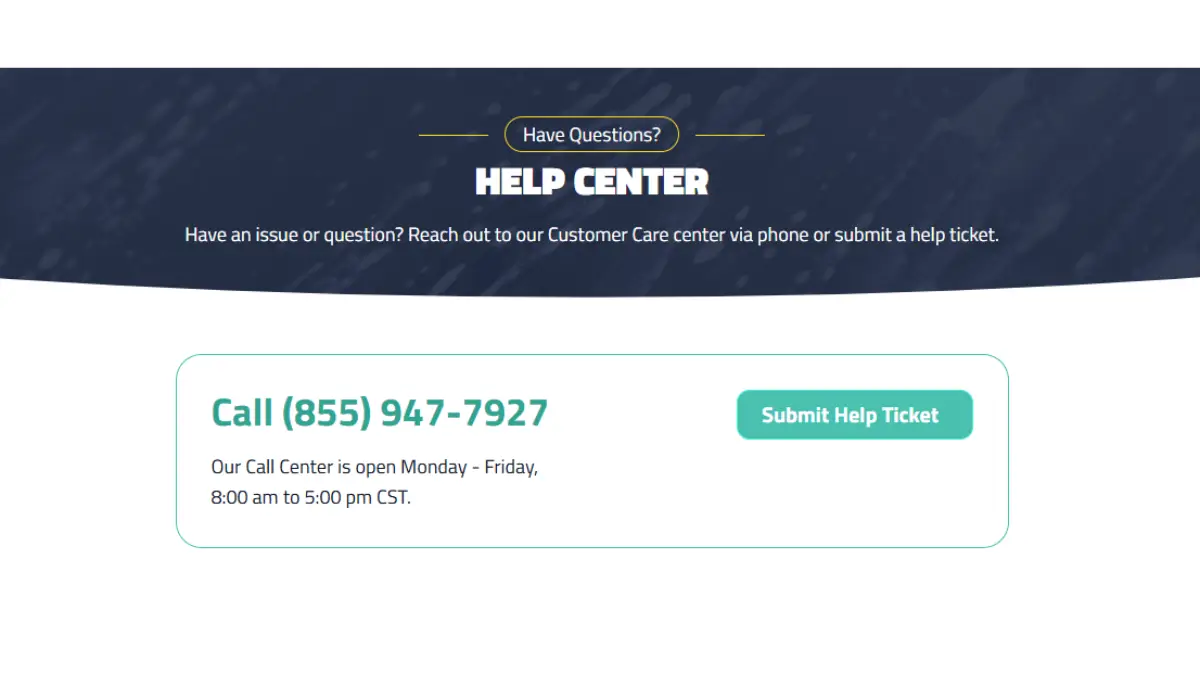
Open the https://zipscarwash.com/help-center in your browser and scroll down to the “help ticket” form.
Enter Your Account Details
Enter your first and last name, email, phone number, membership status, member duration and your ZIPS location.
Enter Your RFID or License Plate
Enter your sticker RFID number or license plate in the Member RFID/License Plate field.
Choose Membership Cancellation
Under the assistance category, choose Membership Cancellation, then pick the reason that fits, such as Vehicle sold or Price increase.
Write Your Request and Send It
State your full name, RFID number, and a direct request to cancel your membership in the message field. Keep the message short and specific.
Click Send. Keep a note of the date you sent it.
Plan not showing in the app? If your membership doesn’t appear under Garage, the help ticket form has an I need help Migrating my Membership option, or you can cancel through a ticket or by phone instead.
Method 2: Cancel Zips Car Wash via Mobile App
The Terms of Service name the app as a way to cancel a subscription plan at any time: Garage menu, Manage, then Cancel Plan.
What You Need: The Zips app installed, with your membership linked to your Account
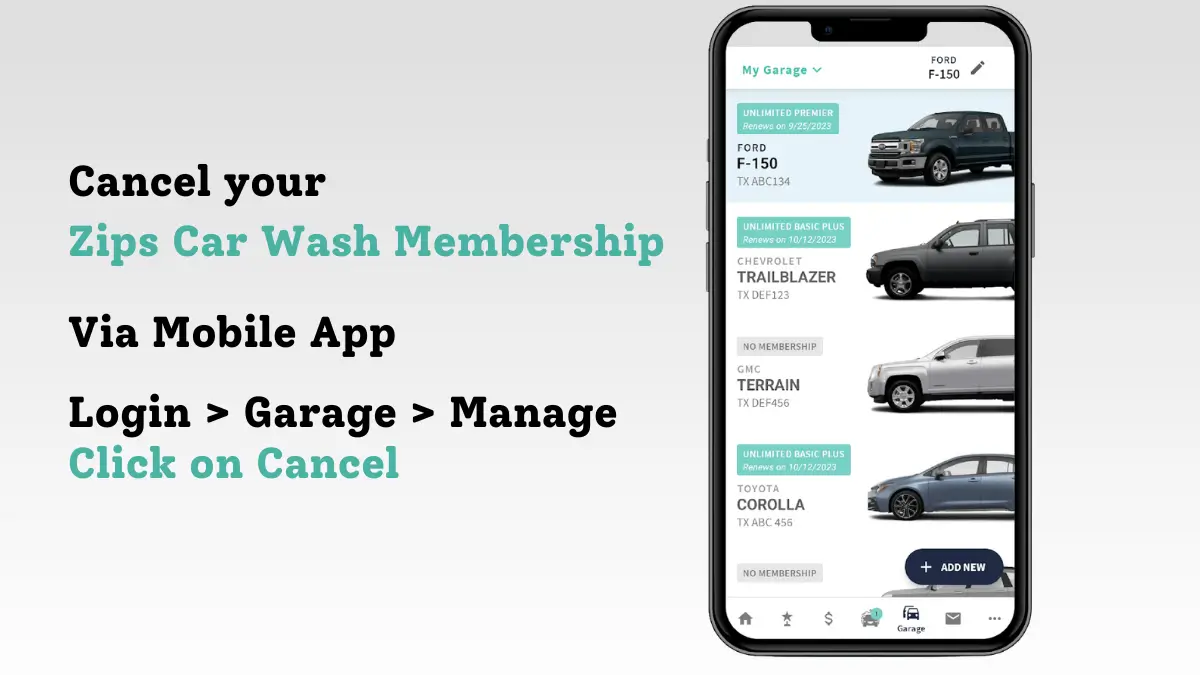
Download and Sign In to the ZIPS App
Download the official ZIPS Car Wash app for Android and iPhone, then sign in.
Open the “Garage Menu”
Open the ZIPS Car Wash app and tap Garage. This menu displays your active membership plan.
Tap on “Manage”
Tap Manage next to your active plan. Zips opens your plan controls here.
Tap on “Cancel” button
Tap Cancel Plan and confirm. Do this no later than 7 days before your monthly billing date.
Method 3: Cancel Zips Car Wash via Phone

Zips Customer Care accepts cancellation requests by phone (855) 947-7927 Hours: Monday–Friday, 8:00 AM–5:00 PM Central Time
Tell the representative you want to cancel your membership. Provide your RFID number and account details to verify your identity.
Method 4: Cancellation via Zendesk Request Form
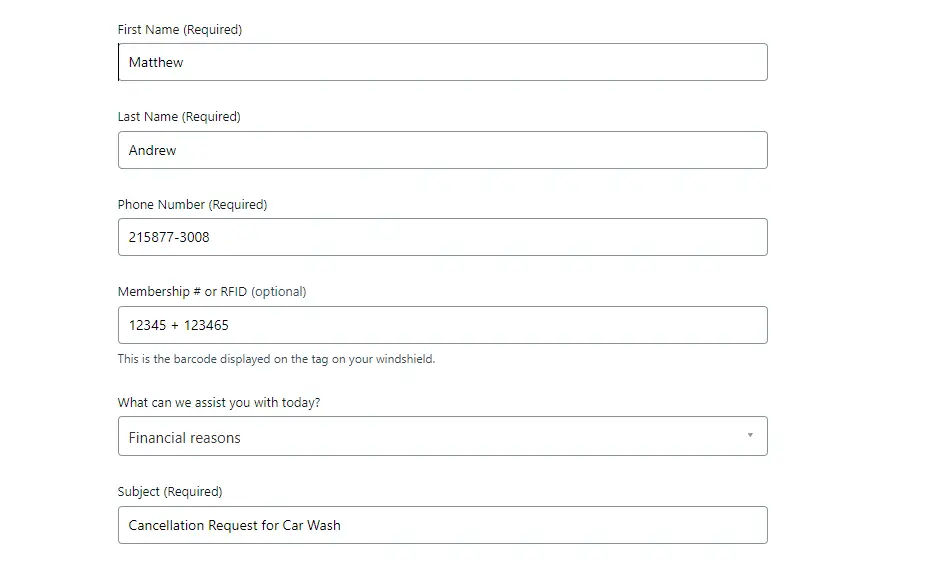
ZIPS also runs a Zendesk help site with a Submit a request page. Use it if the Help Center form won’t load.
- Open the Zips Zendesk Help Center.
- Fill in your name, email and phone number.
- Say that you want to cancel your membership, and include your sticker/RFID number, the location where you signed up and your reason.
- Submit the request.
- Keep a note of the date you sent it, and call (855) 947-7927 if you hear nothing back.
Finished cancelling? You may also want these similar car wash cancellation guides:
After You Cancel
- Keep proof of your request: a screenshot of the app screen, your ticket, or the date and time of your call.
- Check your billing statement for one full cycle after cancellation.
- Remove your card from the payment method if Zips does not do so automatically.
Zips Car Wash Cancellation Policy
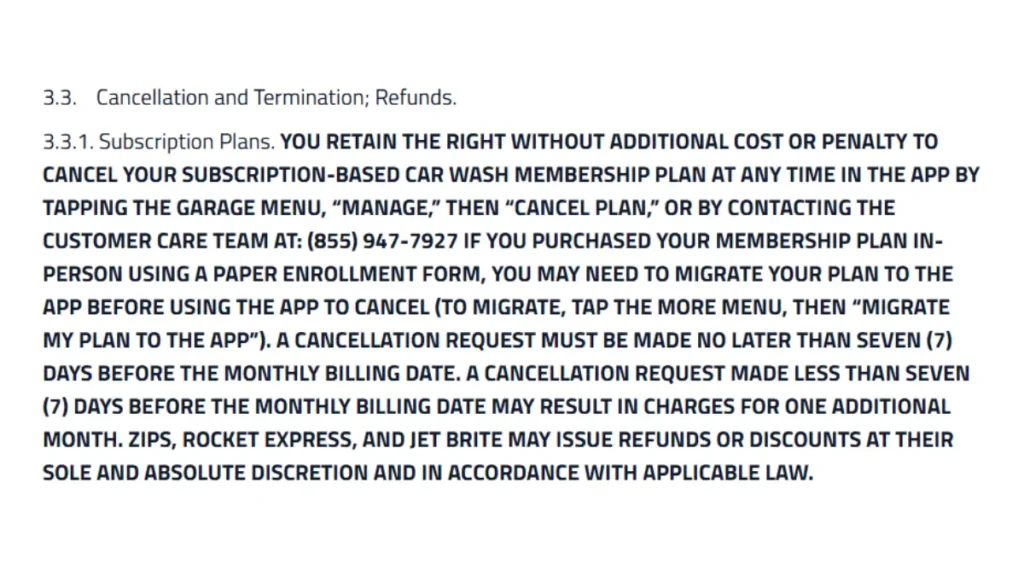
| Notice Required | 7 days before your monthly billing date |
| Cancellation Fee | None — Zips cancels subscriptions at no additional cost |
| Refunds (Subscription Plans) | The terms promise no refund for unused time on a monthly plan |
| Refunds (Prepaid Plans) | Refund of the prepaid fees for the rest of the term if you cancel within the first month |
| Failed Payment | Membership may be suspended if payment doesn’t settle within 5 days of the billing date; reactivate at a ZIPS location |
| Late Cancellation Penalty | Cancelling less than 7 days before billing may be charged one additional month |
Prepaid Membership Plans Cancellation Method
Prepaid plans carry a stricter cancellation window than subscription plans.
- Zips allows cancellation only within the first month of a prepaid plan.
- Canceling in month one refunds the remaining prepaid months — a 6-month prepaid plan canceled in month one refunds months 2–6.
- After month one, prepaid plans become non-cancelable and non-refundable.
Pause Your Membership Instead
The ZIPS help ticket form lists a Pause my Membership option, so you can ask for a pause instead of cancelling.
ZIPS does not publish how long a pause can last or whether it costs anything, so ask in the ticket, and send it before the 7-day cutoff in case you decide to cancel instead.
Common Issues and Fixes
Can’t sign in to the app: Submit a help ticket (Membership Cancellation) or call (855) 947-7927 instead. The terms accept a request to Customer Care as well as the app.
Charges after you thought you cancelled: As of October 5, 2026, ZIPS had 436 BBB complaints in the past three years and is not BBB accredited. In a June 2026 reply, ZIPS said memberships “remain active and continue to renew automatically until a cancellation request is received.” Keep proof of your request and check your next statement.
Card expired or lost: The terms list only the app and Customer Care as ways to cancel. If a payment doesn’t settle within 5 days of your billing date, ZIPS may suspend the membership and may charge extra fees; to reactivate, you have to visit a ZIPS location (Terms §3.2). Cancel formally instead of letting a card lapse.
No reply to your ticket: Call (855) 947-7927 during business hours, before the 7-day cutoff.
Zips Car Wash Contact Information
| Phone | (855) 947-7927 |
| Hours | Monday–Friday, 8:00 AM–5:00 PM CST |
| Help Center | zipscarwash.com/help-center |
| Zendesk Requests | zipscarwash.zendesk.com |
| Business Address (BBB profile) | 8400 Belleview Dr, Ste 210, Plano, TX 75024 |
Source: Zips Car Wash Terms of Service, Section 3.3 (Last Updated February 1, 2026).