You can cancel a GO Car Wash Unlimited membership online through the member portal, at any GO Car Wash location, or by contacting customer support at 1-833-GOWASH1 (833-469-2741) or support@gocarwash.com. The Contact Us form on the Help page also has a “Cancel Membership” option.
Cancel at least 7 business days before your anniversary billing date. The FAQ asks for 7 business days and the Membership Terms (effective December 26, 2025) say 5 business days, so the earlier deadline is the safe one. There are no refunds for partial months, and your plan stays active until the end of the period you have paid for.
Before You Cancel: What You Need
- License plate number registered to your membership, OR
- RFID sticker on your windshield, if your car has one instead of a rear plate
- Email address on the account
- Billing anniversary date — the date GO Car Wash charges your card each month
Find your billing date: Check your bank statement for the recurring GO Car Wash charge. That date is your anniversary date — count back 7 business days to find your safe cancellation window.
How to Cancel Your GO Car Wash Membership
Cancel online through the GO Car Wash member portal, which is linked from Member + Customer Login and Manage Membership on gocarwash.com:
Open the Member Portal
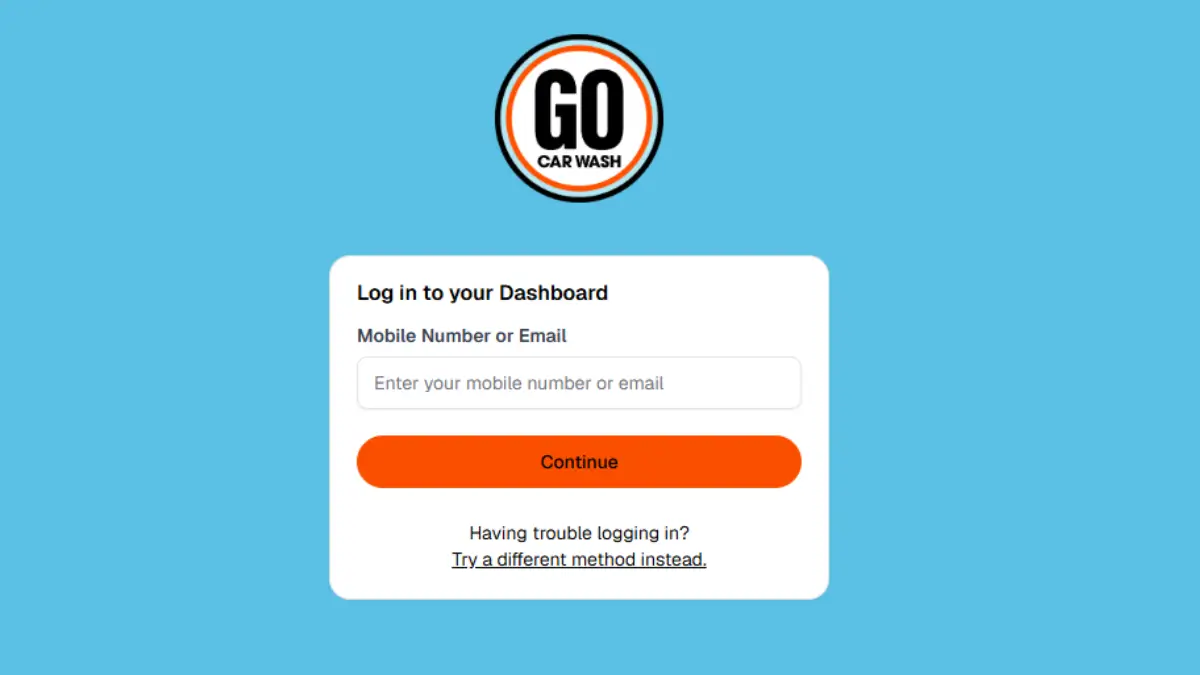
Go to membership portal by visiting https://gocarwash.com/ then clicking on “Member + Customer Login” or visit gocarwash.app.rinsed.co/portal/sessions/new
Log In to Your Account
Sign in to your member account with the details the portal asks for. The login screen can’t be read without an account, so we don’t list its fields here.
Navigate to Your Membership
Select your active unlimited membership plan.
Submit Your Cancellation
Choose the option to cancel your membership and follow the on-screen prompts to confirm.
Save Your Confirmation
The GO Car Wash FAQ says you will receive an email confirmation after you complete your request. Save it as proof in case a charge posts later.
Related: Cancel Super Star Car Wash Membership
How to Cancel Go Car Wash In Person
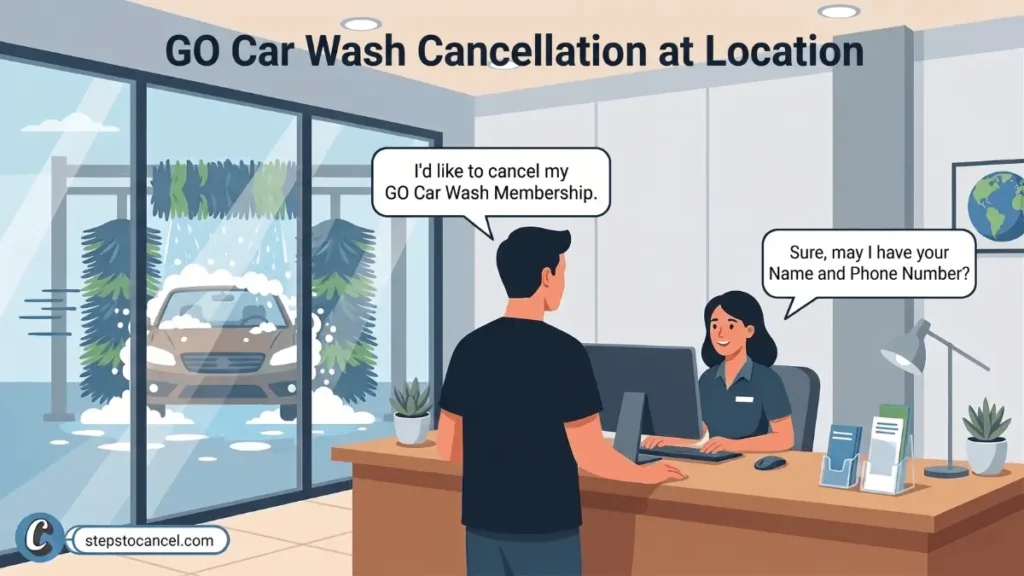
Visit any GO Car Wash location and speak with a team member to cancel your Unlimited plan.
Ask for a written or printed cancellation receipt before you leave. This receipt is your proof of cancellation if a charge posts after your visit.
If you are offered a different rate to stay, ask how long it lasts and get it in writing. The Membership Terms say a promotional rate renews at the standard rate once the promo period ends.
Alternative Methods to Cancel GO Car Wash
The Membership Terms also let you cancel by contacting customer support, and the Help page form has a “Cancel Membership” request type. Both take longer to confirm than the portal.
Cancel via the Contact Us Form
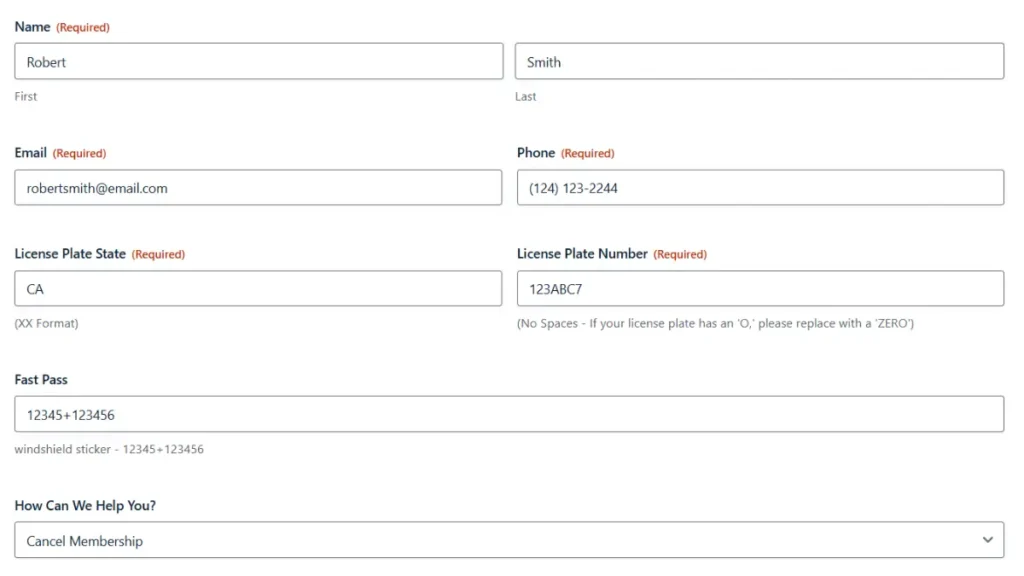
GO Car Wash accepts cancellation requests through its Help page form, which includes “Cancel Membership” as a request type.
- Open the GO Car Wash Help page and scroll to the Contact Us form.
- Fill in your contact and vehicle details as the form asks.
- Select “Cancel Membership” from the “How Can We Help You?” dropdown.
- Add a short note asking to cancel before your next anniversary date, with your plate number.
- Submit the form and screenshot the confirmation.
GO Car Wash states responses through this form take up to 5 business days. Use this method as a backup — not as your first option if your billing date is close.
Cancel by Phone or Email
The Membership Terms list the Customer Experience Team’s phone number and email as the customer-support contacts.
Call: 1-833-GOWASH1 (833-469-2741)
Email: support@gocarwash.com
Support hours are not published. Ask for the cancellation to be confirmed by email, and use only the number above: some third-party help pages list phone numbers that are not GO Car Wash’s own.
Cancellation Policy & Need-to-Knows
| Cancellation Notice Period | 7 business days before your anniversary date (FAQ); the Terms say 5 business days (see note) |
| Late Cancellation | A cancellation after the deadline can still be charged for the next billing cycle |
| Refund Policy | None — no prorated refunds or mid-cycle credits |
| Membership Access After Cancellation | Continues through the end of the current billing cycle |
| Billing Date (Late-Month Signups) | 29th, 30th, or 31st signups bill on the 28th each month |
| Promotional Rate Policy | Renews at the standard rate after the promo period; price changes are announced at least 21 days ahead |
| Vehicle Transfer | Remove the RFID sticker (if any) and visit any GO location to cancel or transfer to the new vehicle |
| Lost or Stolen Vehicle | Contact GO Car Wash immediately to deactivate your membership |
| Payment Failure | GO Car Wash may suspend the membership until a valid payment method is provided |
| Billing Cycle | FAQ: charged monthly on your anniversary date; Terms: charged every 30 days |
Sources: GO Car Wash Membership Terms & Conditions (effective December 26, 2025) and GO Car Wash Help / FAQs, both checked October 5, 2026.
The 7-Business-Day Notice Window
Note: The GO Car Wash FAQ asks for 7 business days before your anniversary date; the Membership Terms (Dec 26, 2025) say 5 business days before your renewal date. This guide uses the earlier deadline — 7 business days — to protect you from a late charge while the two sources remain in conflict. Verify the current policy directly on the GO Car Wash Help page before you cancel.
Submit your cancellation at least 7 business days before your anniversary billing date. The FAQ says a cancellation can take up to 7 days to process. If it finishes after your card is charged, you will not get a refund for that cycle, but your access continues until the end of the period you paid for.
Refund Policy
The Membership Terms say all membership sales are final, with no refunds or credits for unused days, partial months or mid-cycle cancellations.
Promotional Rate Policy
GO Car Wash promotional rates apply for a set period only. Once a promo period ends, the membership renews at the standard rate. GO Car Wash must notify you at least 21 days in advance of any price change via email, in-store signage, or website update. If your rate increased without notice, contact GO Car Wash with your original enrollment receipt.
Selling or Replacing Your Vehicle
If you sell or replace your car, the Membership Terms say to remove the RFID sticker (if you have one) and visit any GO Car Wash location to either cancel or transfer the membership to the new vehicle. Do it before your next anniversary date so you are not billed for a car you no longer drive.
Lost or Stolen Vehicle
Contact GO Car Wash immediately if your vehicle is lost or stolen. GO Car Wash holds you responsible for all charges until the membership is deactivated — the membership may continue to be used on the vehicle until you report it.
California Residents
The Membership Terms include a notice for California residents: you can contact the Consumer Information Division of the California Department of Consumer Affairs at 1020 N Street, Suite 501, Sacramento, CA 95814, phone 1-800-952-5210. The terms do not give California members a different cancellation deadline.
Related: Cancel your Mister Car Wash Membership
Common Issues
Charged for an extra month after canceling: This usually happens when the cancellation lands inside the notice window (7 business days in the FAQ, 5 business days in the Terms). Save your confirmation email and contact GO Car Wash support with it — or dispute the charge with your bank using the confirmation as evidence.
Promotional rate jumped to full price: GO Car Wash Terms allow promotional rates to revert to standard pricing after the promo period ends. If your rate changed, check the email GO Car Wash is required to send at least 21 days before a price adjustment. If you received no notice, contact support with your original enrollment receipt.
No confirmation email: The FAQ says you will receive an email confirmation after you complete your request. If none arrives, email support@gocarwash.com before your anniversary date and ask for written confirmation, or cancel in person and ask for a receipt.
Duplicate billing or unexpected charges: Check your bank statements after cancellation for extra charges tied to a second vehicle or duplicate account. Forward your cancellation confirmation to GO Car Wash support immediately if you see a charge that should not be there.
Unresolved charges: GO Car Wash’s BBB profile (Greenwood Village, CO; file opened March 2025) showed 4 complaints as of October 5, 2026, with no company response to 3 of them. Start with support email and keep your confirmation; if a charge stays unresolved, your card issuer’s dispute process is the fallback.
Signed up on the 29th, 30th or 31st: The FAQ says these members are charged on the 28th, so count your notice window back from the 28th.
After You Cancel
- Save your cancellation confirmation email.
- Check your next bank statement — your pass stays active through the current cycle so one more charge is expected if your anniversary date has not passed yet.
- Monitor for an unexpected second charge — forward your confirmation email to support immediately if one posts.
- Transfer, don’t cancel if you are only getting a new car — visit any location to move the membership.
- Remove the RFID sticker if you sell the car, and report a lost or stolen vehicle promptly so the membership is deactivated.
Contact Information
| Official Website | gocarwash.com |
| Member Portal (Cancel Online) | gocarwash.app.rinsed.co |
| Help & Contact Form | gocarwash.com/help-faqs |
| Phone | 1-833-GOWASH1 (833-469-2741) |
| support@gocarwash.com | |
| Corporate Address | 7400 East Orchard Road, Suite 260S, Greenwood Village, CO 80111 |