How to Cancel Onelife Fitness Membership
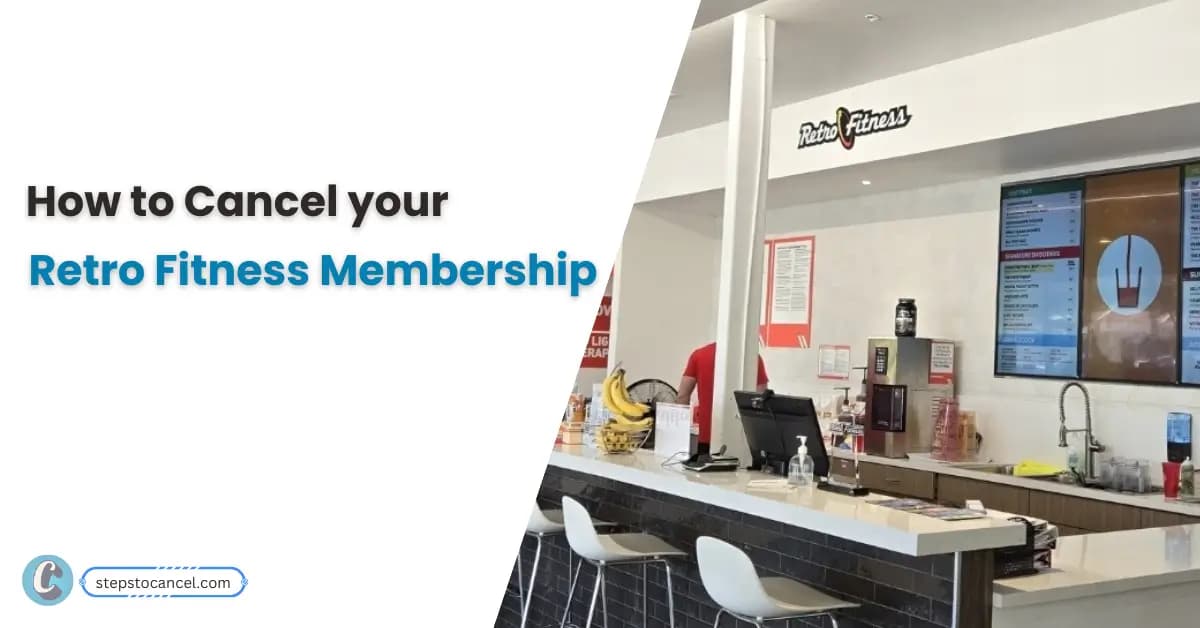
A Retro Fitness cancellation takes effect seven days after you submit it, and a payment that falls due in those seven days is still processed. The quickest official route is the Manage Membership button on retrofitness.com; you can also cancel through your home club by phone, email or mail, or hand the manager a signed letter.[1] Save the confirmation screen or your sent email as proof of the date you asked.
Which Retro Fitness membership do you have? It decides when you can cancel
Before you pick a method, check your membership agreement for the plan type. The cancellation steps are the same for everyone, but whether you can stop paying right away depends on the contract.
| Your situation | What the policy says |
|---|---|
| Signed up in the last 3 business days | You can cancel without any penalties.[1] |
| Month-to-month contract | You can cancel at any time.[1] |
| Other installment plan | You need to complete the payments in your agreement before canceling, unless otherwise permitted by law.[1] |
| Paid in Full | Full term, with no refunds.[1] |
If you’re on an installment plan and want to leave early, ask your home club for the remaining balance in writing before you cancel.
How to cancel Retro Fitness online (Manage Membership)
- Go to retrofitness.com and select Manage Membership on the main page.[1]
- Log in to your member account.[1]
- Open the cancellation section and follow the steps shown.[1]
- Save or screenshot the final screen, and keep any email you receive about the request.
A payment due in the next 7 days still goes through
The cancellation takes effect seven days after you submit it.[1]
Cancel by email, phone or mail through your home club
Retro Fitness also accepts cancellations by phone, mail or email, handled by your home club.[1] Email is the better choice of the three, because the sent message is your written record.
- Look up your home club’s email address and phone number with the Find a Gym page.[3]
- Email your home club, or the central address listed on the cancellation policy page, and say you want to cancel your membership.[1]
- Include your full name, your home club and the email or phone number on your account, since Retro Fitness may ask for a small amount of information to confirm your identity.[1]
- Ask the club to reply with the date your cancellation takes effect, and keep that reply.
Tip: if you call instead, ask the club to confirm the cancellation by email.
To cancel by mail, send your letter to your home club’s address from the club finder.[3] Certified mail isn’t required, but a trackable service shows when the letter arrived.[1]
Cancel in person with a signed letter
Bring a signed and dated cancellation letter to your home gym’s manager.[1] Put these details in the letter:
- Your full name and the email or phone number on your account
- Your home club
- A clear line saying you’re canceling your membership
- The date and your signature
Ask the manager for a copy of the letter with the date it was received.
Retro Fitness cancellation notice: 7 days (3 days in New York)
Cancellations generally need seven days’ notice, and they take effect seven days after you submit them. A payment due during that period is processed.[1]
Members in New York state need to give only three days’ notice.[1]
Example: your monthly payment is due on the 15th. If you cancel on the 10th, the cancellation takes effect on the 17th, so the payment on the 15th still goes through. Cancel by the 7th and it takes effect before that payment date.
Freeze or transfer instead of canceling
Membership freezes are available; contact your club to set one up and ask what it costs.[2]
A freeze may not pause every charge: in an April 2025 reply to a member, Retro Fitness said the annual fee still applied during a freeze period, so ask your club before you freeze.[4]
If you’ve moved closer to another Retro Fitness, a transfer may suit you better. Check in at least 7 times in a calendar month with at least 60% of those check-ins at the new club, and your membership transfers automatically the following month.[2]
Still charged after you cancel?
Proof of your request matters most here. In an April 2026 reply to a member’s complaint, Retro Fitness declined to waive that member’s past-due balance because it had no cancellation form on file.[4]
Send your request to your current home club. In a June 2025 case, a member’s letter went to an address that Retro Fitness said was not the correct location.[4]
If your club won’t process the request by phone, email the central address on the cancellation policy page and keep a copy.[1]
As of October 4, 2026, Retro Fitness’s BBB profile showed 11 complaints in the last 3 years, 4 of them in the last 12 months.[4] If you’re thinking of joining another chain instead, compare cancellation rules at other gyms before you sign.
Retro Fitness cancellation FAQs
Can I cancel my Retro Fitness membership on the app?
The cancellation policy doesn’t list the app. Use the Manage Membership button on retrofitness.com, or contact your home club by phone, email or mail, or with a signed letter.[1]
Is there a Retro Fitness cancellation fee?
Not for a month-to-month contract or within three business days of signing. On other installment plans you finish the payments in your agreement unless the law allows otherwise, so ask your club for the amount in writing.[1]
Can I cancel my Retro Fitness membership over the phone?
Yes. Call your home club, using the number on the Find a Gym page, and ask for an email confirming the date the cancellation takes effect.[1][3]
When is the Retro Fitness annual fee charged?
Check your membership agreement or ask your home club for the date and amount. If you plan to freeze rather than cancel, ask whether the annual fee still applies during the freeze.
References
- Retro Fitness, Membership Cancellation Policy.
- Retro Fitness, FAQ.
- Retro Fitness, Find a Gym Near Me.
- Better Business Bureau, Retro Fitness complaints (company responses; profile figures as of Oct. 4, 2026).