How to Cancel Mister Car Wash Membership
You can cancel a Cobblestone Unlimited Wash Plan online through the Manage My Plan portal or by phone. Under Cobblestone’s cancellation policy, the request must reach it at least 7 days before your next billing date (5 days for Family Plans).
There’s no cancellation fee, but Cobblestone gives no refunds or credits for partial months, so your plan stays active until the end of the 30-day cycle you’ve already paid for. Colorado members have extra options, covered below.
The steps below are specific to Cobblestone. For other chains, see our car wash cancellation guides.
Key Takeaways Before You Cancel
- Billing Cycle: Billing occurs every 30 days from your sign-up date (e.g., if you signed up on September 15, the next charge is October 15).
- Notice Period: You must submit your cancellation request at least 7 days before your next billing date (5 days for Family Plans) to avoid being charged for the next month.
- No Cancellation Fees: Plans are month-to-month. There are no hidden cancellation fees or long-term contract penalties.
- No Partial Refunds: Cobblestone does not issue refunds or credits for unused days.
- Benefits Remain Active: Even after you cancel, your plan remains active for the full 30 days of that billing cycle, and you can continue to wash your car.
- No Pause: Cobblestone explicitly states that memberships cannot be paused or frozen. You must either cancel entirely or downgrade.
Keep proof that you cancelled. Some members report being charged after cancelling (BBB reviews, 2026). Screenshot the confirmation screen or save the confirmation email, and send it to Cobblestone support if a later charge appears.
How to Cancel Cobblestone Membership Online (Free & Fast)
The fastest and most reliable way to cancel your unlimited plan without waiting on hold is through the official online management portal.
Go to the Cobblestone Auto Spa Membership Portal
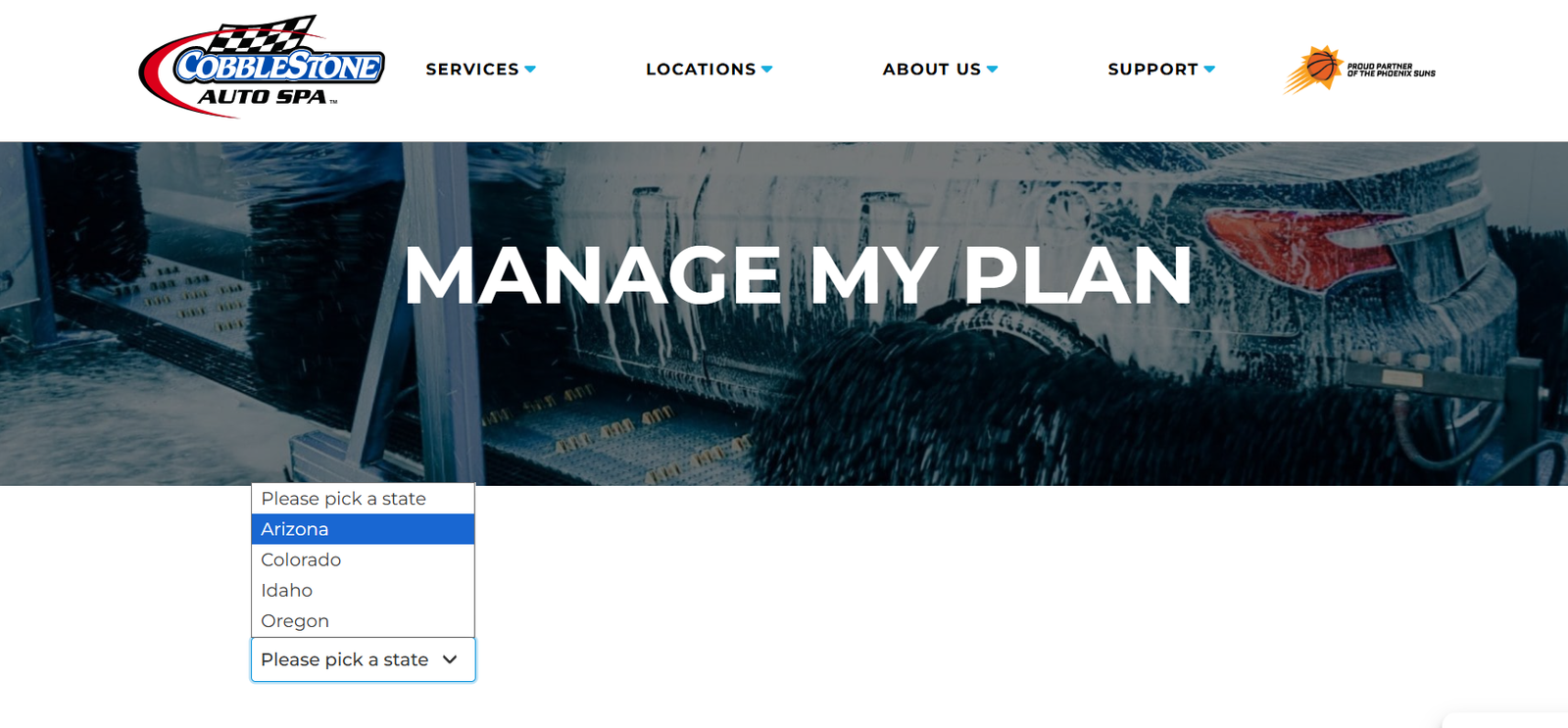
Visit the official Cobblestone management page at https://cobblestone.com/manage-my-plan/.
(You can also access this by clicking “Support” then “Manage My Plan” from their homepage).Select Your State
Choose your state to be routed to the correct system.
Authenticate Your Account

You will be redirected to a secure login page. You must enter the registered phone number or email address associated with your active plan.
If your phone or email is not recognized, select the “Full Name” login option to locate your account.Go to Manage Membership
Once logged into your dashboard, navigate to Settings or profile and click on Manage Membership.
Click on cancel button
Finally, click on Cancel button and follow the final prompts to terminate the billing.
If you are located in Colorado, Cobblestone also allows you to submit a direct cancellation request via their official Zendesk Support system.

Submitting a Colorado Cancellation Request via Zendesk
For customers in the Denver and greater Colorado areas, Cobblestone provides a direct online support ticketing system. Use the layout below to ensure your request is routed to the correct regional billing team immediately.
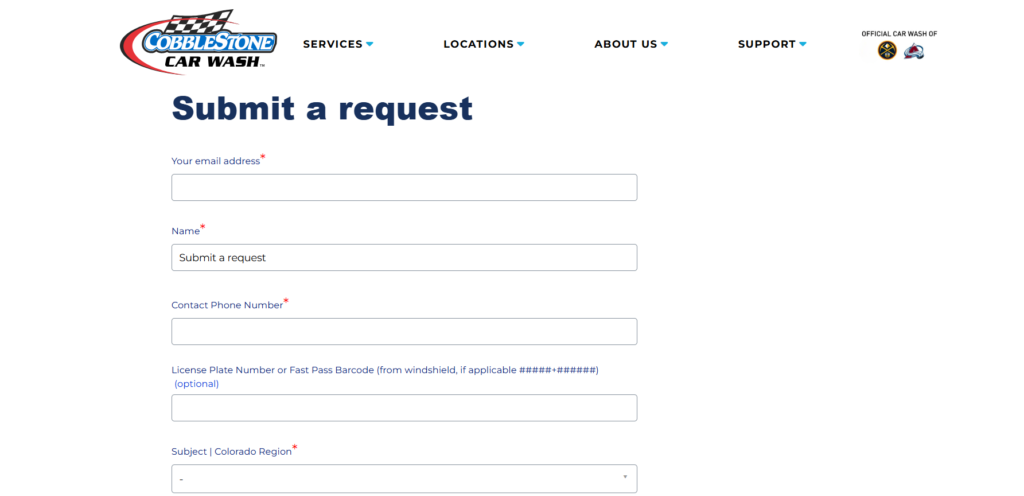
Where to Go: Navigate to the official Cobblestone Colorado Support Portal and fill out the form using the exact structure below.
Required Form Fields Checklist
- Your Email Address: Enter the exact email address linked to your car wash account.
- Name: Provide the primary account holder’s full name.
- Contact Phone Number: Use the phone number associated with your membership billing.
- License Plate Number or FastPass Barcode (Optional but Recommended):
- Locate the small sticker on your windshield.
- Enter your license plate or the barcode numbers using the standard #####+###### format. Including this prevents delays if your name matches another user.
- Subject: Choose “Colorado Region” from the dropdown menu (this specifically alerts Denver, CO area customer service teams).
- Description: Copy and paste the clean template below into the text box:
Subject: Unlimited Membership Cancellation Request – Colorado Region
Dear Cobblestone Support Team,
Please cancel my Unlimited Membership at the end of my current billing cycle.
Account Details:
- Name: [Your Name]
- Phone: [Your Phone Number]
- Associated Car Wash Location: [Select Your CO Location]
I am submitting this request at least 7 days prior to my next billing cycle to ensure no further automated charges are processed. Please send a confirmation email once the cancellation is finalized.
Thank you.
Colorado members can also cancel by calling or texting (720) 445-8600, according to Cobblestone’s Colorado membership page.
The 2026 Colorado auto-renewal settlement
On August 20, 2026 the Colorado Attorney General announced a settlement with Cobblestone under the state’s auto-renewal law (HB21-1239). Cobblestone agreed to keep a one-step online cancellation link on its website and to give at least 25 days’ notice before price increases. Certain Colorado customers who bought a membership between January 1, 2022 and February 2, 2025 may be eligible for a $19 payment, according to Cobblestone.
This is general information about one state’s settlement, not legal advice.
How to Cancel Cobblestone Auto Spa (Car Wash) by Phone
To cancel your Cobblestone Auto Spa membership by phone call, follow the steps listed below.
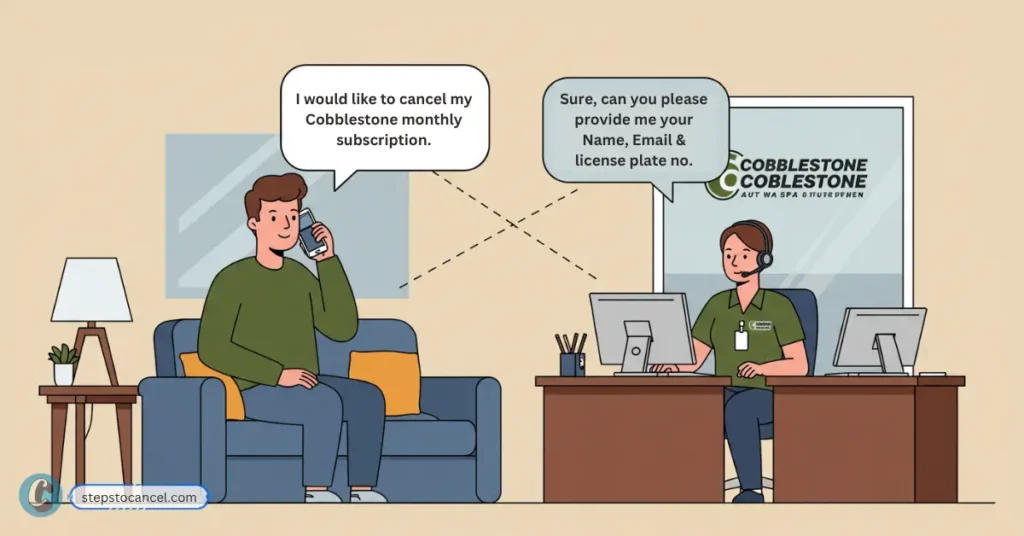
Call Cobblestone Customer Support using the Phone Numbers:
- Arizona locations: Call (623) 283-2323
- Colorado locations: Call or text (720) 445-8600
Information to Have Ready Before Calling:
To successfully verify your identity over the phone, the customer care representative will require:
Either your license plate number or the 11-digit FastPass Barcode matching the #####+###### layout printed on your windshield RFID sticker.
- Your full name.
- The phone number attached to the account profile.
- Your primary account email address.
Cobblestone’s website doesn’t list phone support hours (checked October 2026), so note the date, time and agent’s name when you call.
If the online portal can’t find your account, call support instead. Plan changes such as a downgrade can also be made at a Cobblestone location.
Frequently Asked Questions
Does Cobblestone charge cancellation fees?
No. Cobblestone Car Wash does not charge cancellation fees or account termination penalties. All unlimited plans are entirely month-to-month commitments.
Can I pause my Cobblestone membership?
No. memberships cannot be paused, frozen, or suspended at this time. If you are not using the wash, you must cancel or downgrade.
Can I downgrade my membership instead of canceling?
Yes. If you prefer to switch to a cheaper monthly plan, you can downgrade your membership for the following billing cycle. However, Cobblestone requires at least four days’ notice prior to your auto-renewal date to successfully change your plan tier.
How do I stop text alerts from Cobblestone Auto Spa?
Simply reply “STOP” to any of Cobblestone’s text messages to cancel SMS marketing. To stop emails, click the “unsubscribe” link at the very bottom of the promotional email.