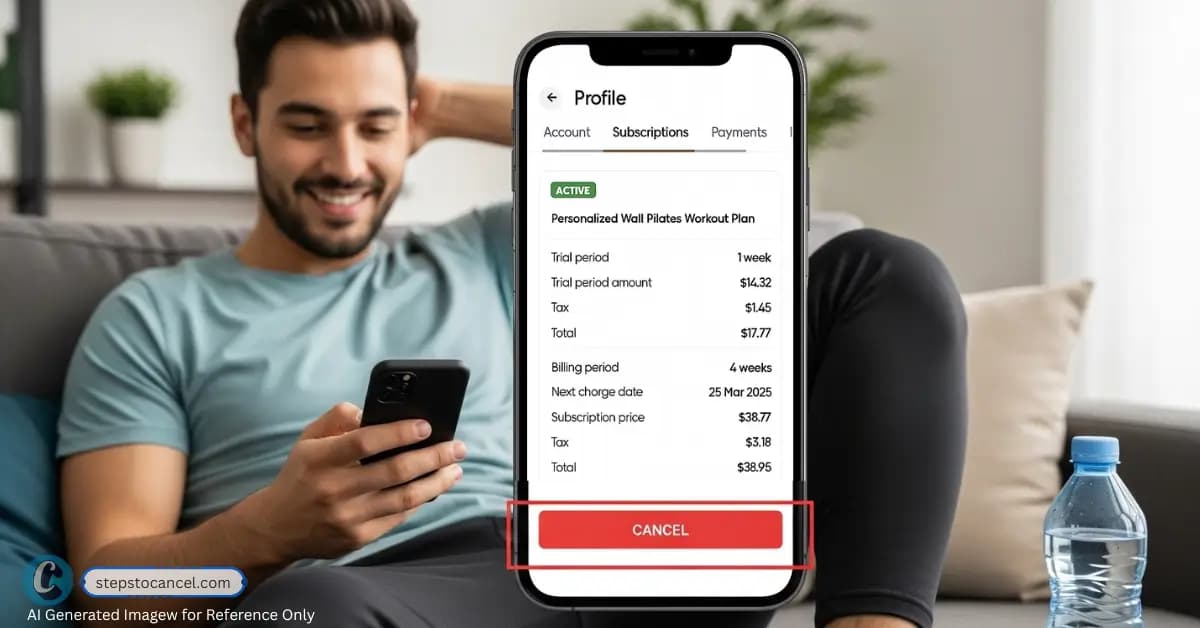
To cancel a BetterMe subscription you bought on the BetterMe website, open the BetterMe app and go to More → My Profile → Manage Subscription, or log in on the BetterMe website and select Manage Subscription. If you subscribed inside the app through Apple, Google Play or Huawei, turn off auto-renewal in that store account instead. Do it at least 24 hours before your trial or current period ends; you keep access until that period runs out (BetterMe Subscription Terms, updated 29 July 2026).
Deleting the app does not cancel anything. Purchases are generally final under BetterMe’s Terms, but website subscribers who contact BetterMe within 30 days and have completed at least 7 sessions can claim the money-back guarantee, and California and Connecticut residents can cancel for a refund until midnight of the third business day after purchase (Money-Back Policy, last update 9 September 2026).
BetterMe Cancellation Overview
| Detail | Key Information |
|---|---|
| Cancellation Methods | BetterMe app or website (Manage Subscription) for website purchases; Apple ID, Google Play or Huawei account for in-app purchases |
| Notice Period | At least 24 hours before the end of the trial or current period |
| Refund Policy | Purchases are final per the Terms; 30-day money-back guarantee for website purchases (7 completed sessions, with screenshots); Apple and Google handle refunds for in-app purchases |
| Common Issues | Trials converting to a paid plan, cancelling in the wrong place, separate subscriptions under different emails (BBB complaints, June 2026) |
| Contact | support@betterme.world, BetterMe Support |
Official Cancellation Methods
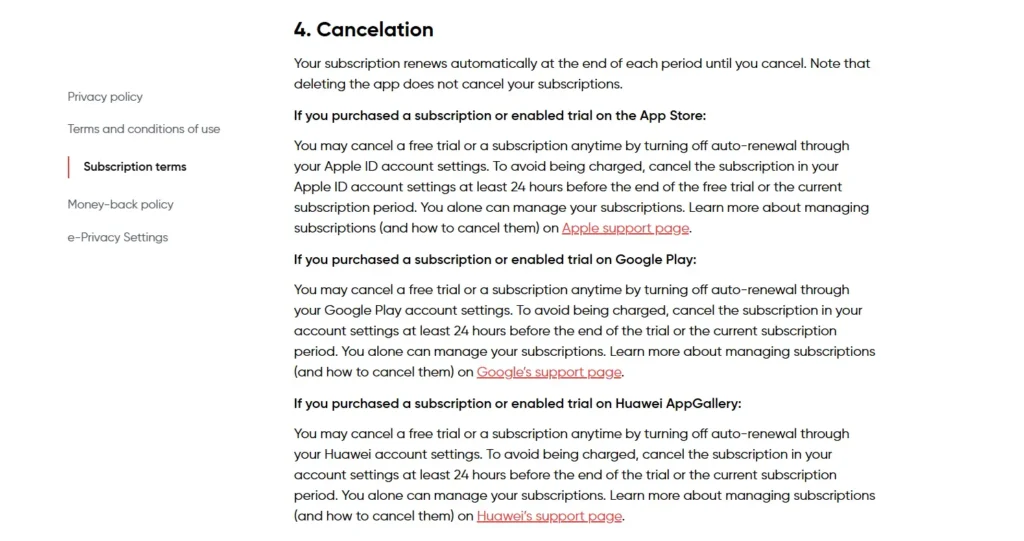
BetterMe’s cancellation process depends on where you subscribed—the BetterMe website (including website purchases paid with PayPal) or inside the app through the App Store, Google Play or Huawei AppGallery. Deleting the app doesn’t cancel your subscription, so follow the matching steps below.
Note: Always confirm your subscription platform by checking your purchase confirmation email or bank statements. Canceling through the wrong platform (e.g., the app for a Google Play subscription) won’t work.
If You Subscribed Through the BetterMe Website
A subscription bought on the BetterMe website is managed in your BetterMe account, in the app or on the website. BetterMe’s Subscription Terms name both paths.
On the BetterMe Website
- Go to betterme.world and log in with the email you used to buy the plan.
- Select Manage Subscription.
- Complete the cancellation and screenshot the screen that shows your subscription status.
In the BetterMe App
- Open the BetterMe app and tap the More tab.
- Go to My Profile.
- Choose Manage Subscription and complete the cancellation.
The screens after Manage Subscription sit behind a login and were not checked for this guide. Whichever path you use, keep a screenshot or email showing the cancellation; cancelling stops renewal and you keep access until the paid period ends.
If You Subscribed Through the App Store (iPhone/iPad)
If you subscribed inside the iPhone or iPad app, Apple bills you and only your Apple ID settings can turn off renewal (Apple Support):
- In Settings, tap your name.
- Tap Subscriptions.
- Tap BetterMe.
- Tap Cancel Subscription (you may need to scroll down).
If You Subscribed Through the Google Play Store (Android)
If you subscribed inside the Android app, cancel in Google Play (Google Play Help). Huawei AppGallery subscribers turn off auto-renewal in their Huawei account settings instead.
- Open your subscriptions in Google Play.
- Select BetterMe.
- Tap Cancel subscription.
- Follow the instructions to confirm.
Uninstalling the app does not cancel a Google Play subscription, and a plan that Google bills has to be cancelled in Google Play.
If You Paid on the Website With PayPal

BetterMe’s terms do not list PayPal as a separate way to cancel. Cancel in your BetterMe account first (Manage Subscription, above); you can then also remove BetterMe from PayPal’s automatic payments (PayPal Help):
- Log in at paypal.com and open Settings.
- Click Payments.
- Open Automatic payments (or Subscriptions and saved businesses).
- Select BetterMe and cancel the automatic payment.
Removing the PayPal authorization alone does not change your BetterMe account, so do both.
If Your BetterMe Cancellation Doesn’t Go Through
If you can’t reach the cancel option or a charge still goes through, these are the next steps:
Contact BetterMe Support Directly
Email support@betterme.world (the support address in BetterMe’s Terms) or use the Customer Support page with your cancellation request.
This helps if you can’t log in or can’t find Manage Subscription. For a refund, BetterMe asks you to write “refund” in the request and give the plan you bought and the payment date.
- Send an email with your account email, subscription ID (from confirmation email), and a clear cancellation request.
- Example: “Subject: Cancel My Subscription”
Dear BetterMe Support,
Please cancel my subscription effective immediately. My details: [Full Name], [Email], [Subscription ID]. Please confirm cancellation. Thank you.” - Follow up if no response within 3–5 days. Keep all correspondence as proof.
Dispute Charges with Your Bank or Payment Provider
If BetterMe charges you after you cancelled, contact BetterMe first with your proof, then your bank or payment provider if it isn’t fixed.
A dispute can reverse a charge, but it does not cancel the subscription itself. For App Store or Google Play purchases, ask Apple or Google for the refund, as BetterMe’s terms direct.
Steps to dispute BetterMe unauthorized charges after cancellation
- Gather proof of cancellation (confirmation email, screenshots).
- Contact your bank or payment provider to dispute charges or block payments.
- Follow up with BetterMe to ensure the subscription is canceled to avoid future issues.
File a Complaint with Consumer Protection Agencies
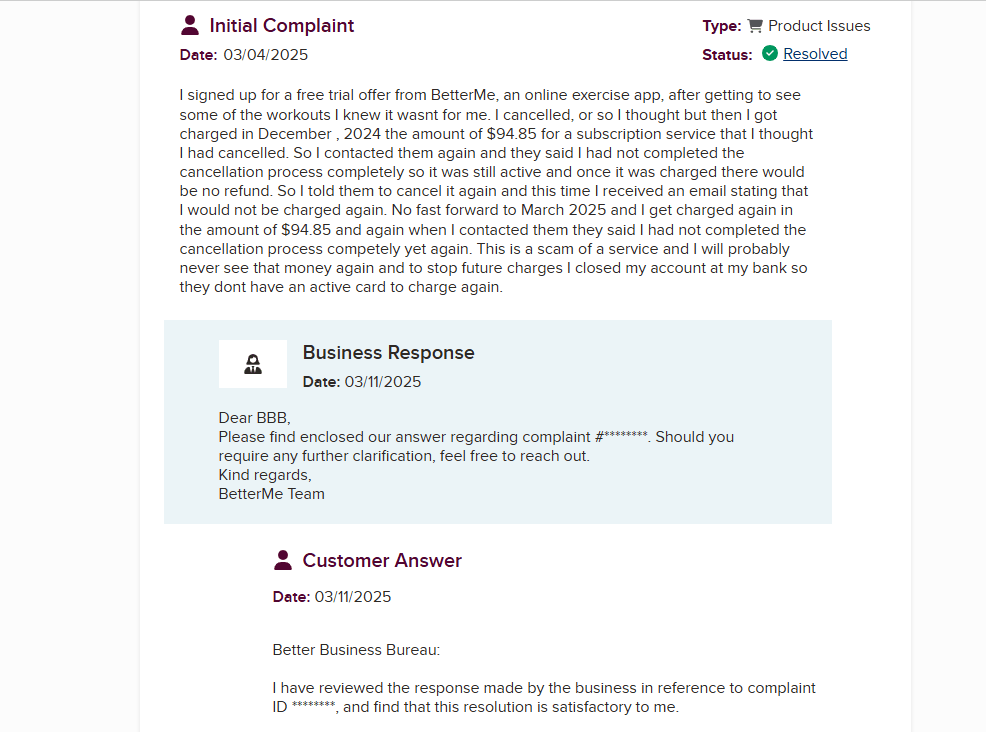
You can file with the Better Business Bureau or your state consumer protection office. As of 5 October 2026, BBB lists 67 complaints about BetterMe in the past three years; in June 2026 BetterMe answered several billing complaints about trial conversions and duplicate charges with refunds.
Cancellation Policy of BetterMe App
BetterMe subscriptions and trials renew automatically until you cancel, at no more than the previous period’s rate. Cancel at least 24 hours before the trial or current period ends, through the account or store where you bought it. Cancelling turns off renewal and you keep all features until the paid period ends. BetterMe’s Terms say a transaction is not refunded once made, with the exceptions below.
The exceptions in BetterMe’s Money-Back Policy (last update 9 September 2026): website purchases qualify for a money-back guarantee if you contact BetterMe within 30 days of the first purchase and show screenshots of at least 7 completed sessions; California and Connecticut residents can cancel for a refund until midnight of the third business day after purchase; consumers in the EEA, UK and Switzerland have a 14-day withdrawal right. Other requests are decided case by case.
- Check your subscription renewal date in your confirmation email or platform settings.
- Cancel at least 24 hours prior to avoid charges.
- For a refund on a website purchase, contact support@betterme.world or the Customer Support page; for App Store or Google Play purchases, request it from Apple or Google.
- If you live in California or Connecticut and bought within the last three business days, say so in your request.
Common Issues users face while Cancelling BetterMe
These problems come up most often in BBB complaints, with what to do about each:
| Issue | Solution |
|---|---|
| Trial turned into a paid plan | BetterMe’s terms say you are charged unless you cancel before the trial ends; a June 2026 BBB complaint reported no reminder email. Set your own reminder for at least 24 hours before the trial ends. |
| Two charges for one person | In a June 2026 BBB reply, BetterMe said duplicate charges came from subscriptions under different email addresses. Check every email you may have used and cancel each one. |
| Charged After Cancellation | Provide proof of cancellation (email, screenshot) to support@betterme.world or dispute with your bank. |
| Can’t Find Cancellation Option | Verify your subscription platform; check confirmation email or bank statements. Contact support for guidance. |
| Unsure Which Platform Was Used | Review purchase confirmation email or bank statements to identify the platform. |
| No Confirmation Received | Check subscription status on the platform; email support if unresolved. |
Keep screenshots of every cancellation and refund request until the next billing date has passed without a charge.
FAQ Section
Can I cancel my BetterMe subscription through the app?
What happens if I delete the BetterMe app?
Will I get a refund if I cancel mid-subscription?
How do I know if my subscription is canceled?
What if I’m still being charged after canceling?
Did this guide help you cancel your subscription? Let us know!